
Sequentur Blog
Helping you stay ahead of IT challenges
Real-world IT knowledge from engineers solving problems every day.
Practical IT knowledge for businesses that can’t afford downtime
Phishing Attack Prevention for Small Business: What Actually Works
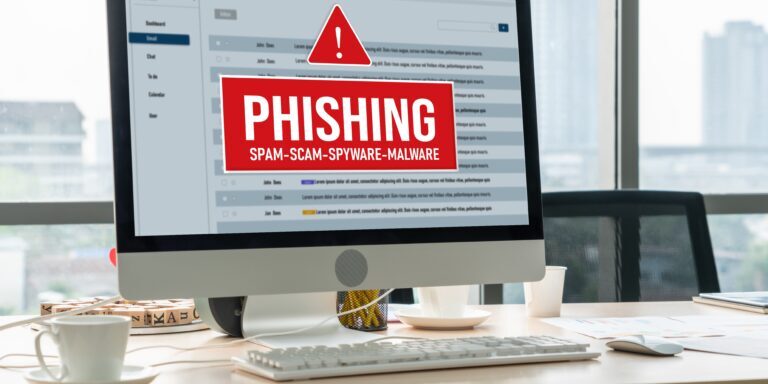
Phishing is not a new threat and it is not a sophisticated one. An attacker sends an email that looks legitimate, the recipient clicks a link or opens an attachment, and the attacker gets what they wanted, whether that is credentials, access, or a malware foothold. The technique has been around for decades and it is still the number one way attackers get into business networks. Verizon’s Data Breach Investigations Report consistently shows that phishing is involved in a significant percentage of all breaches, and small businesses are hit disproportionately because they tend to have fewer layers of protection between the inbox and the network.
The good news is that phishing prevention does not require a massive budget. It requires layering several practical defenses that each reduce the odds of a successful attack. No single control stops phishing entirely. But stacking multiple controls together makes it genuinely difficult for an attacker to get through.
Why Phishing Still Works
Phishing works because it targets people, not systems. You can have the best firewall, the most expensive EDR, and a perfectly hardened network, and all of it becomes irrelevant when an employee enters their credentials into a fake login page.
Attackers have gotten better at it. Modern phishing emails are not the poorly written Nigerian prince messages from 2005. They impersonate Microsoft, Google, DocuSign, banks, shipping companies, and internal colleagues with convincing formatting, legitimate-looking sender addresses, and contextually relevant content. Some use information gathered from LinkedIn, company websites, or previous breaches to personalize the message so it looks like it was meant specifically for the recipient. The shift over the last two years is that AI-generated phishing is now grammatically clean, contextually plausible, and personalized at scale – the old “look for spelling errors” advice catches a smaller and smaller share of attacks. The full attacker-side picture – how criminals use AI at every stage of an attack, and why small businesses are now economically worth targeting individually – is covered in how cybercriminals are using AI to attack small businesses, and the broader risk picture (including how your own AI use creates exposure) is in AI security risks every small business should know about.
Business Email Compromise (BEC) is a particularly dangerous form of phishing where the attacker either spoofs or gains access to a real executive’s email account and uses it to request wire transfers, change payment details, or extract sensitive information. BEC does not rely on malware or malicious links at all. It relies on trust and authority. An email from the CEO asking the accounting team to process a payment looks legitimate because it comes from a legitimate account. The FBI reports that BEC losses run into the billions annually.
The fundamental challenge with phishing is that it only needs to work once. An organization with 50 employees receives thousands of emails per week. If even one employee clicks one malicious link in one email, the attacker has their opening. That math is why phishing remains the most common initial access vector year after year. It is also the first of six routes attackers use to take business credentials, and how hackers steal business passwords covers the other five alongside it, including the adversary-in-the-middle phishing kits that complete an MFA challenge legitimately and steal the session afterwards.
Email Filtering: Your First Layer
Email filtering is the most impactful technical control against phishing because it stops malicious emails before they reach the inbox. If an employee never sees the phishing email, they cannot click on it.
Basic email filtering, like Exchange Online Protection (EOP) included with Microsoft 365, catches known malware attachments and messages from known spam sources. It is better than nothing but it is not designed to catch targeted phishing. EOP relies on reputation lists and signature matching, which means novel phishing campaigns and zero-day links often pass through.
Advanced email security adds layers that basic filtering does not cover. If your business runs Microsoft 365, hardening your Defender settings is the most accessible next step. Defender for Office 365 includes:
- Safe Links that rewrite and check URLs at the time of click, not just at the time of delivery. This matters because attackers frequently send emails with clean links that redirect to malicious pages hours after delivery, bypassing time-of-delivery scanning.
- Safe Attachments that open attachments in a sandbox environment to detect malicious behavior before delivering them to the recipient.
- Anti-impersonation policies that flag emails attempting to impersonate your executives, your domain, or trusted partner domains.
Third-party email security platforms like Proofpoint, Mimecast, and Abnormal Security provide similar or additional capabilities and can layer on top of Microsoft’s native protection for businesses that want defense in depth at the email layer.
The key principle is that email filtering should not be a single product. It should be multiple checks applied in sequence so that what one layer misses, the next layer catches.
DNS Filtering: Blocking the Destination
Even with good email filtering, some phishing emails will get through. DNS filtering adds a second safety net by blocking access to known malicious websites at the network level.
When an employee clicks a phishing link, their device makes a DNS request to resolve the domain name to an IP address. A DNS filter intercepts that request and checks the domain against a threat intelligence database. If the domain is known to be malicious, newly registered (a common indicator of phishing infrastructure), or categorized as suspicious, the request is blocked and the employee sees a warning page instead of the phishing site.
DNS filtering is lightweight, inexpensive, and effective. Services like Cisco Umbrella, Cloudflare Gateway, and DNSFilter can be deployed across an entire organization in hours. They protect devices both on and off the corporate network, which matters for remote and hybrid workforces where home network security is outside IT’s direct control.
DNS filtering does not catch everything. If the phishing site is hosted on a domain that has not yet been identified as malicious, the DNS filter will not block it. But it catches a meaningful percentage of phishing attempts, especially those using bulk infrastructure that gets flagged quickly by threat intelligence feeds. The full depth on what to block, which vendors to consider, and the deployment patterns that quietly fail is in DNS filtering for small business: what it is and why it matters.
Email Authentication: SPF, DKIM, and DMARC
Email authentication does not prevent your employees from receiving phishing emails from external attackers. What it does is prevent attackers from sending phishing emails that appear to come from your domain. This protects your customers, vendors, and partners from being phished by someone impersonating your business.
SPF (Sender Policy Framework) publishes a list of mail servers authorized to send email on behalf of your domain. Receiving servers check whether the sending server is on that list. If it is not, the email can be flagged or rejected.
DKIM (DomainKeys Identified Mail) adds a cryptographic signature to outbound emails. The receiving server verifies the signature against a public key published in your DNS. If the signature does not match, the email has been tampered with or was not sent by your domain.
DMARC (Domain-based Message Authentication, Reporting, and Conformance) ties SPF and DKIM together and tells receiving servers what to do when an email fails both checks: nothing (monitor only), quarantine it, or reject it outright. DMARC also sends you reports showing who is sending email using your domain, which helps identify unauthorized use.
If you have not configured these records, anyone can send email that appears to come from your domain and most receiving servers will deliver it without question. Implementing all three is a standard expectation for any business, and it is increasingly required by email providers. Google and Yahoo both began enforcing DMARC requirements for bulk senders in 2024, and the trend toward stricter enforcement will continue.
Security Awareness Training: What the Data Says
User training is the most debated phishing control. Some security professionals argue it is essential. Others argue it is ineffective because people will always click. The data suggests the truth is somewhere in between, and the details matter.
KnowBe4, one of the largest security awareness training providers, publishes benchmarking data showing that untrained organizations have an average phishing click rate of roughly 30 to 35 percent. After 12 months of regular training and simulated phishing exercises, that rate typically drops to around 5 percent. That is a meaningful reduction, but it is not zero. A 5 percent click rate in a 50-person company still means two or three people are likely to click on a well-crafted phishing email.
The implication is clear: training reduces risk but does not eliminate it. Training should be part of your phishing defense, but it should never be your only defense. Relying solely on employees to identify and avoid phishing is an unreasonable expectation given the sophistication of modern attacks.
Effective training programs share several characteristics. They are ongoing, not annual. A one-time training session has minimal lasting impact. Regular simulated phishing campaigns, ideally monthly, keep awareness current and give you measurable data on which employees or departments need additional coaching. They cover current techniques, not just generic “do not click suspicious links” advice. Employees need to understand what adversary-in-the-middle phishing looks like, how MFA can be bypassed, and why even legitimate-looking emails can be dangerous. This last point matters more every year: AI-generated phishing has erased the spelling errors and generic greetings the old training was built around, so training that still leads with “spot the bad grammar” now gives staff false confidence – AI-powered phishing: how to spot attacks that look more real than ever covers the signals that replace it and the verification habit that does the real work. And they create a culture where reporting suspicious emails is encouraged rather than punished. If an employee is afraid of getting in trouble for clicking a link, they will not report it, and the attacker gets more time to operate undetected.
What to Do When Someone Clicks
Despite all of your defenses, someone will eventually click. Having a plan for that moment is just as important as the preventive controls.
Immediate actions for the employee: If an employee realizes they clicked a phishing link or entered credentials on a suspicious page, they should immediately disconnect from VPN if they are remote, change their password from a different device, and report the incident to IT or their manager. Speed matters. The faster the response, the less time the attacker has to use the stolen credentials.
Immediate actions for IT: Reset the affected user’s password and revoke all active sessions. In Microsoft 365, this means revoking refresh tokens in Entra ID so that any stolen session tokens are invalidated. Check the account’s recent sign-in activity for logins from unfamiliar locations or devices. Review inbox rules for forwarding rules or deletion rules the attacker may have created to hide their activity. Check whether the compromised account sent any emails to other employees or external contacts, as attackers frequently use a compromised mailbox to send internal phishing to harvest more credentials.
Broader investigation: If the phishing attack included malware rather than just credential harvesting, the affected device needs to be isolated and scanned with EDR. Check whether the malware established persistence or moved laterally to other devices. Review network logs for connections to command-and-control infrastructure. If the scope of the compromise is unclear, this is the point where bringing in a managed security provider or incident response team makes sense.
Post-incident review: After the immediate response, document what happened. How did the email get through filtering? Did the employee report it or was it discovered another way? How long was the attacker active before containment? Use the answers to strengthen your defenses. Maybe your email filter needs a rule update. Maybe a specific department needs targeted training. Maybe your incident response process had a gap that cost time.
Putting It All Together
No single control stops phishing. The businesses that handle phishing effectively are the ones that layer multiple defenses so that failure at any one layer does not mean a successful attack.
Email filtering catches the majority of phishing attempts before they reach the inbox. DNS filtering blocks access to malicious sites when a link does get clicked. MFA prevents stolen credentials from being used to log in. Email authentication prevents your domain from being spoofed. Training reduces the click rate. And an incident response plan ensures that when something does get through, it gets contained quickly.
The cost of implementing all of these layers is modest compared to the cost of a successful phishing attack. A single BEC incident can result in a six-figure wire transfer that is never recovered. A credential theft that leads to a data breach costs a small business hundreds of thousands when you add up forensics, legal fees, notification, and lost business.
Sequentur helps small and mid-sized businesses implement layered phishing defenses, from email security configuration to user training to incident response. If phishing is a concern for your organization and you want to understand where your gaps are, reach out through our contact page to start that conversation.
Get the Best IT Support
Schedule a 15-minute call to see if we’re the right partner for your success.
Testimonials
What Our Clients Say
Here is why you are going to love working with Sequentur

"We had a cyber attempt on our network. I was asleep, my network engineer was asleep, but Sequentur was there to watch over and protect us. I'm truly grateful for that."

"I can actually take time off... and know there is someone there to handle the technical support issues for my staff."

"They know what they are talking about, you can tell there is a lot of experience there and a passion for doing the right thing by their customers."

"I feel like I can email or call anyone from the CEO on down and get a prompt response to any concerns I have."

"They're always very responsive and have the expertise to solve the problems that we present."