
Sequentur Blog
Helping you stay ahead of IT challenges
Real-world IT knowledge from engineers solving problems every day.
Practical IT knowledge for businesses that can’t afford downtime
How Ransomware Gets Into Small Business Networks
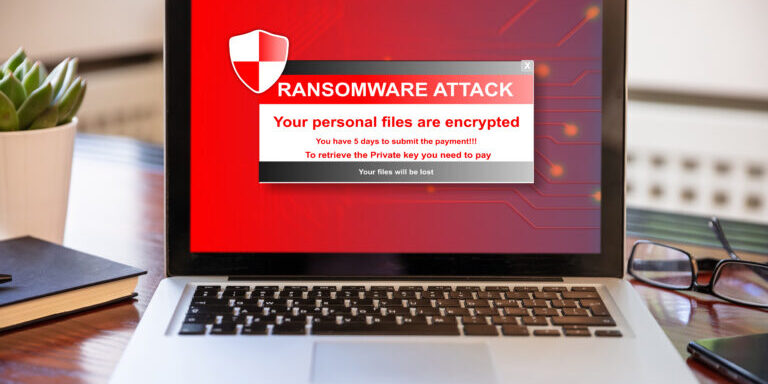
Ransomware does not appear out of nowhere. Every encryption event is the final step in a chain that started with initial access, sometimes days or weeks earlier. Understanding how attackers get in is the first step toward making sure they do not. If you have already been hit, we have a separate step-by-step recovery guide. This article covers the other side: how it happens in the first place, how common each method is, and what you can do to block each one.
Phishing Emails
Phishing remains the most common way ransomware enters small business networks. Verizon’s Data Breach Investigations Report consistently identifies phishing as the top initial access vector, and ransomware operators rely on it heavily because it works at scale with minimal effort.
The attack typically follows one of two paths. In the first, the email contains a malicious attachment, often a Word document with macros, a PDF with an embedded link, or a compressed archive containing an executable. The recipient opens the attachment, the payload runs, and the attacker has a foothold on the machine. In the second path, the email contains a link to a fake login page. The recipient enters their credentials, the attacker captures them, and uses those credentials to log into the network remotely.
What makes phishing effective against small businesses specifically is that the defenses tend to be thinner. A large enterprise might have multiple layers of email filtering, a dedicated security team reviewing suspicious messages, and regular phishing simulations that keep employees alert. A small business often has basic spam filtering and employees who have never received phishing awareness training. AI has also raised the floor on attack quality: AI-generated phishing emails are now grammatically clean and contextually personalized, voice cloning is being used in CEO-impersonation calls to finance staff, and deepfake-enabled BEC is on the rise. The AI security risks every small business should know about article covers the AI angle on phishing, BEC, and voice fraud in detail.
How to block it: Implement layered email security that goes beyond basic spam filtering. Safe Links and Safe Attachments in Microsoft Defender for Office 365 catch a significant percentage of phishing that basic filtering misses. DNS filtering blocks access to malicious domains when a link does get clicked. Regular phishing simulations and training reduce click rates measurably. None of these is sufficient alone, but together they make phishing significantly harder to execute successfully.
What monitoring catches it: EDR detects when a malicious payload executes on an endpoint, even if the email filter missed it. MDR analysts monitoring your environment can identify credential theft and unusual login activity that follows a successful phishing attack, often before the attacker moves to the next stage.
Exposed Remote Desktop Protocol (RDP)
Remote Desktop Protocol is built into Windows and allows remote access to a machine’s desktop. It is useful for IT administration and remote work. It is also one of the most exploited entry points for ransomware when it is exposed directly to the internet.
Attackers continuously scan the internet for machines with RDP open on port 3389. Once they find one, they attempt to log in using brute-force attacks, trying thousands of username and password combinations until they find one that works. Stolen credentials from previous data breaches make this even easier since many people reuse passwords. Dark web marketplaces sell RDP access to compromised machines for as little as a few dollars.
Once an attacker has RDP access to one machine on your network, they have a command-line foothold with a graphical interface. They can browse files, install tools, move laterally to other machines, and eventually deploy ransomware across the entire environment. Many of the most damaging ransomware campaigns targeting small businesses in recent years have started with exposed RDP.
How to block it: Never expose RDP directly to the internet. If remote access is needed, put it behind a properly configured VPN with multi-factor authentication. Better yet, use a remote access solution that does not require opening inbound ports at all. Audit your external attack surface regularly to make sure no RDP ports have been accidentally exposed. Many businesses do not realize RDP is internet-facing until an attacker finds it.
What monitoring catches it: Network monitoring detects brute-force login attempts against RDP. EDR detects suspicious activity on machines accessed via RDP, like reconnaissance commands, credential dumping, and lateral movement. Signs of compromise like unexpected RDP sessions between machines that do not normally communicate are exactly the type of activity MDR providers watch for.
Unpatched Software and Known Vulnerabilities
Software vendors publish security patches because researchers or attackers discovered a vulnerability that can be exploited. When you do not apply those patches, you are leaving a known, documented door open in your network. Attackers do not need to discover new vulnerabilities when thousands of businesses have not patched the ones that were disclosed months ago.
Some of the most significant ransomware campaigns have exploited known vulnerabilities in widely used software. The WannaCry attack in 2017 exploited a Windows SMB vulnerability that Microsoft had patched two months earlier. The Kaseya VSA attack in 2021 exploited a vulnerability in the remote management software used by MSPs, spreading ransomware to hundreds of downstream businesses. More recently, vulnerabilities in VPN appliances from Fortinet, Citrix, and Pulse Secure have been exploited repeatedly by ransomware groups to gain initial access to business networks.
The pattern is consistent: a vulnerability is disclosed, a patch is released, and within days or weeks, attackers begin scanning for systems that have not been updated. Small businesses that do not have a regular patch management process are disproportionately affected because they are more likely to be running outdated software.
How to block it: Implement a patch management process that applies critical security updates within days, not weeks or months. Prioritize internet-facing systems like VPN appliances, firewalls, email servers, and web applications, as these are the first targets. Automate Windows and application patching where possible. Keep an inventory of all software and hardware in your environment so you know what needs to be patched.
What monitoring catches it: Vulnerability scanning identifies unpatched systems before attackers find them. EDR detects exploitation attempts on endpoints. MDR providers tracking threat intelligence can alert you when a vulnerability in software you use is being actively exploited in the wild, giving you a window to patch before you are targeted.
Supply Chain and Vendor Compromises
Supply chain attacks are among the hardest to defend against because the malicious access comes through a trusted relationship. Instead of attacking your business directly, the attacker compromises a software vendor, IT provider, or service you depend on and uses that access to reach you.
The SolarWinds attack in 2020 demonstrated this at scale, when attackers inserted malicious code into a software update that was distributed to thousands of organizations. The Kaseya attack in 2021 used a different approach, exploiting a vulnerability in remote management software used by MSPs to push ransomware to their clients. In both cases, the victim organizations did nothing wrong. They installed a legitimate software update from a trusted vendor. The attack came through the supply chain itself.
For small businesses, the most common supply chain risk comes from IT service providers with remote access to your network. If your MSP‘s systems are compromised, the attacker can use that access to deploy ransomware across all of the MSP’s clients simultaneously. This is not hypothetical. It has happened multiple times.
How to block it: Vet your vendors’ security practices. Ask your IT provider how they secure their remote access tools, whether they use MFA on their management platforms, and how they would detect if their own systems were compromised. Limit vendor access to only what is necessary and review those permissions regularly. Keep your own security controls in place even if you trust your vendors, because their compromise becomes your compromise.
What monitoring catches it: This is where Managed Detection and Response is particularly valuable. MDR monitors activity inside your network regardless of where it originates. If a legitimate remote management tool starts behaving unusually, pushing unexpected scripts, accessing systems it normally does not touch, or operating outside normal hours, MDR detects the anomaly even though the tool itself is trusted.
Malicious USB and Removable Media
This vector is less common than phishing or RDP exploitation but it still accounts for a meaningful number of infections, particularly in industries where USB drives are used routinely to transfer files between systems.
The attack is straightforward. An attacker leaves infected USB drives in a parking lot, mails them to a business disguised as a promotional item, or compromises a USB drive that is already in use. When an employee plugs the drive into a company computer, the malicious payload executes automatically or the employee opens what appears to be a normal file that triggers the infection.
The FBI has documented campaigns where attackers mailed USB drives branded with company logos and fake invoices to businesses, specifically targeting small companies that were unlikely to have USB device controls in place. Some attacks use specialized USB devices that emulate keyboards and type malicious commands faster than the eye can follow.
How to block it: Disable USB autorun on all company machines through Group Policy. Implement device control policies that restrict which USB devices can connect to company computers. If USB drives are necessary for business operations, use encrypted, company-issued drives only and prohibit personal drives. Security awareness training should cover the risk of unknown USB devices, though technical controls are more reliable than relying on employee judgment.
What monitoring catches it: EDR detects malicious processes spawned by USB payloads, including keyboard emulation attacks. Device control features in most EDR platforms log when USB devices are connected and can alert on unauthorized devices. MDR analysts reviewing endpoint telemetry can identify the characteristic behavior pattern of a USB-based attack.
Drive-By Downloads and Watering Hole Attacks
Drive-by downloads occur when an employee visits a compromised or malicious website that exploits a vulnerability in their browser or browser plugins to install malware without any user interaction beyond loading the page. The employee does not need to click anything or approve a download. Simply visiting the page is enough.
Watering hole attacks are a targeted version of this technique. The attacker identifies websites that employees at specific companies or industries frequently visit, compromises those sites, and waits for the targets to visit. This approach is more surgical than broad phishing campaigns and harder to detect because the malicious website is one the employee visits regularly and trusts.
These attacks have become less common as browsers have improved their security and automatic updates have reduced the window for exploiting browser vulnerabilities. But they still occur, particularly when employees are using outdated browsers, have disabled automatic updates, or are running browser extensions with known vulnerabilities.
How to block it: Keep browsers and operating systems updated automatically. DNS filtering blocks access to known malicious domains and newly registered domains commonly used in these attacks. Web filtering can restrict access to categories of sites that carry higher risk. Disable or remove unnecessary browser extensions, as these are frequently exploited.
What monitoring catches it: EDR detects malicious processes spawned by browser exploits, even when the user did not intentionally download anything. Network monitoring identifies connections to command-and-control infrastructure that the malware establishes after initial infection.
The Common Thread: Dwell Time
Regardless of how ransomware gets in, the encryption payload is almost never deployed immediately. Attackers use the initial foothold to spend days or weeks inside your network before triggering the ransomware. During that dwell time, they escalate privileges, disable security tools, identify and compromise backup systems, and spread to as many machines as possible. The goal is maximum damage when the encryption finally runs. This is exactly why backup isolation matters – a 3-2-1 backup strategy with an offsite copy that attackers cannot reach from inside your network is often the difference between recovery and permanent data loss.
That dwell time is both the danger and the opportunity. Every action the attacker takes during this phase generates signals that can be detected: unusual account activity, lateral movement between machines, connections to command-and-control servers, backup tampering, and other indicators of compromise. If those signals are caught and investigated, the attack can be stopped before the ransomware ever executes. The structural defense against lateral movement is segmentation – putting workstations, servers, IoT devices, and guest traffic on separate VLANs so a single compromised endpoint cannot scan and reach everything internal. The depth on that is in VLANs explained for small business: segmenting your network without breaking everything.
The cost difference between catching an attack early and dealing with full encryption is enormous. A contained incident costs a fraction of what a successful ransomware deployment costs, and the recovery timeline shrinks from weeks to days. This is why 24/7 monitoring and response capability matters. The entry points described in this article are where prevention focuses. The dwell time is where detection saves you.
Sequentur provides managed security services that cover both prevention and detection for small and mid-sized businesses. If you want to understand where your network is most vulnerable to ransomware and what it would take to close those gaps, reach out through our contact page to start that conversation.
Get the Best IT Support
Schedule a 15-minute call to see if we’re the right partner for your success.
Testimonials
What Our Clients Say
Here is why you are going to love working with Sequentur

"We had a cyber attempt on our network. I was asleep, my network engineer was asleep, but Sequentur was there to watch over and protect us. I'm truly grateful for that."

"I can actually take time off... and know there is someone there to handle the technical support issues for my staff."

"They know what they are talking about, you can tell there is a lot of experience there and a passion for doing the right thing by their customers."

"I feel like I can email or call anyone from the CEO on down and get a prompt response to any concerns I have."

"They're always very responsive and have the expertise to solve the problems that we present."