
Sequentur Blog
Helping you stay ahead of IT challenges
Real-world IT knowledge from engineers solving problems every day.
Practical IT knowledge for businesses that can’t afford downtime
What to Do After a Ransomware Attack: Step-by-Step
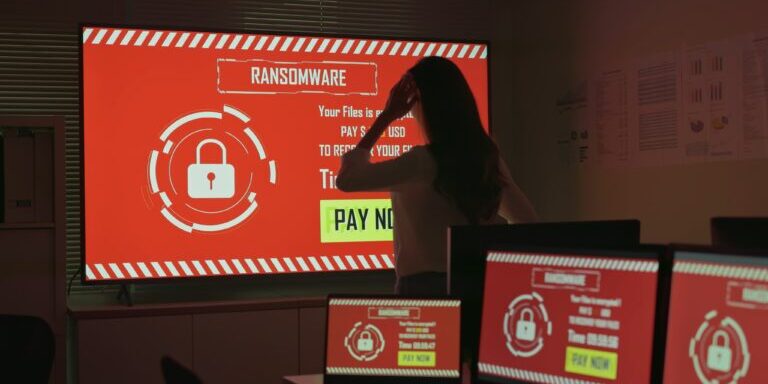
Your files are encrypted, there is a ransom note on the screen, and your team cannot work. The next few hours matter more than you think. How you respond in the first day determines whether this is a painful week or a business-ending event. This guide walks through exactly what to do after a ransomware attack, in order, so you can contain the damage and start recovering.
Step 1: Disconnect Infected Systems Immediately
The first thing you do is isolate. Unplug the Ethernet cable, disable Wi-Fi, and disconnect any VPN. If multiple machines are showing symptoms, disconnect all of them. The goal is to stop the ransomware from spreading laterally across your network to file shares, servers, and backup systems.
Do not shut the machines down yet. Powered-on systems can contain forensic evidence in memory that may help identify the ransomware strain or determine how the attacker got in. Shutting down a machine can destroy volatile data like running processes, network connections, and encryption keys that a forensics team might be able to use. Just disconnect them from the network and leave them running.
If you have network segmentation in place, isolate the affected segment at the switch or firewall level. If you do not have segmentation, you may need to take the entire network offline temporarily. That is painful and it will disrupt business operations, but it is better than letting the encryption spread to every device on the network. Ransomware can move fast. Some variants can encrypt an entire file share in minutes once they reach it.
Make sure to disconnect any mapped network drives and cloud sync clients on machines that have not been affected yet. Ransomware follows mapped drives and can encrypt cloud-synced folders, which then propagates the encrypted files up to the cloud and down to other synced devices.
Step 2: Assess the Scope
Before you can plan recovery, you need to understand how far the damage goes. Check every machine, every file share, and every server. Look for encrypted files (they usually have a new file extension like .locked, .crypt, or something random), ransom notes in folders, and processes you do not recognize running in Task Manager.
Document everything you find. Which machines are affected? Which file shares? Are backups accessible, or have those been encrypted too? Is the domain controller compromised? Are any cloud services affected? The answers to these questions will determine your recovery path.
Pay special attention to your backup systems. Sophisticated ransomware operators specifically target backups before deploying the encryption payload. They know that if your backups are intact, you will not pay. Check whether your backup server is accessible, whether the backup files are intact, and whether your most recent backup predates the initial compromise. If your backups run on a schedule and the attacker has been in your network for days or weeks, even recent backups may contain compromised files or the malware itself. For a detailed look at how attackers compromise backup systems and what makes a backup truly ransomware-resilient, see our guide on why your backup might not save you from ransomware.
If you have an IT team or provider, get them involved immediately. If you do not, this is the point where you need outside help. Ransomware recovery is not something to figure out on the fly. An experienced incident response team can assess the damage faster and avoid common mistakes that make recovery harder.
Step 3: Identify the Ransomware Strain
Knowing which ransomware variant hit you matters. Some strains have known decryptors available for free. Others do not. The ransom note itself usually identifies the strain, or you can upload an encrypted file sample to a service like ID Ransomware (operated by MalwareHunterTeam) to identify it.
If a free decryptor exists, you may be able to recover your files without paying. The No More Ransom project, a joint initiative between Europol and several security companies, maintains a library of decryption tools. Check there before making any decisions about payment. New decryptors are added regularly as researchers crack additional variants.
Identifying the strain also tells you something about the attacker. Some ransomware groups are known for honoring their decryption promises. Others take the payment and disappear, or provide a decryptor that only partially works. Some groups operate as Ransomware-as-a-Service (RaaS), where the actual attacker is an affiliate using rented tools, which can make negotiation and recovery less predictable. Knowing who you are dealing with informs every decision from this point forward, including whether payment is even worth considering.
Take screenshots of the ransom note and save copies of any encrypted files with their new extensions. This evidence helps incident response teams and law enforcement. If you engage a forensics firm later, having the original ransom note and file samples speeds up their analysis significantly.
Step 4: Do Not Pay the Ransom (At Least Not Yet)
The FBI and CISA both recommend against paying. There are good reasons for that. Payment funds criminal operations, there is no guarantee you will get a working decryption key, and paying once marks you as a target that will pay again. Studies have shown that organizations that pay are significantly more likely to be attacked a second time.
That said, this is a business decision, not a moral one. If your backups are gone, the data is critical to your survival, and no decryptor exists, some businesses decide that paying is the least bad option. If you are in that position, involve legal counsel and, if applicable, your cyber insurance carrier before making the call. Some insurers have negotiators who specialize in ransomware payments and can often reduce the demanded amount significantly. These negotiators also verify that the group actually provides working decryption keys before any payment is made.
Be aware that paying ransoms to certain groups may violate OFAC (Office of Foreign Assets Control) sanctions. Your legal team needs to verify that the group behind the attack is not on a sanctions list before any payment is made. Violating OFAC sanctions carries serious federal penalties regardless of the circumstances.
Step 5: Report the Incident
File a report with the FBI’s Internet Crime Complaint Center (IC3) at ic3.gov. If you are in a regulated industry, you may have mandatory reporting obligations. HIPAA-covered entities have a 60-day breach notification window. State breach notification laws vary but most require notifying affected individuals within 30 to 90 days if personal data was compromised. In Florida, home to our Clearwater headquarters and our Tampa team, the deadline is 30 days from determining the breach, and the state Department of Legal Affairs must be notified too when 500 or more Florida residents are affected.
Contact your cyber insurance carrier as soon as possible. Most policies have specific notification windows, often 24 to 72 hours, and failing to report promptly can jeopardize your coverage. Your insurer may also provide access to incident response firms, legal counsel, and breach notification services as part of your policy. These resources are already paid for through your premiums, so use them.
Even if you are not legally required to report, filing with IC3 helps law enforcement track ransomware operations and can sometimes lead to recovery of ransom payments. The FBI has successfully recovered ransomware payments in several high-profile cases by tracing cryptocurrency transactions.
Step 6: Begin Recovery
If you have clean backups, this is where they save you. How long this takes depends on your backup infrastructure and whether you have defined RTO and RPO targets before the incident. Wipe the affected systems completely and rebuild from backup. Do not restore onto the same compromised environment. Rebuild the machines with fresh operating system installations, verify the backups are clean (not infected), and restore from there.
Before restoring, scan your backup files with updated antivirus and EDR tools. If the attacker had access to your network for an extended period before deploying ransomware, the malware or backdoor may exist in your backups. Restoring a compromised backup puts you right back where you started.
If your backups were also encrypted or you discover they have not been running properly, your recovery options narrow significantly. This is the scenario where businesses end up considering payment or accepting permanent data loss. It is also the scenario that a proper backup strategy would have prevented. A 3-2-1 backup setup – three copies, two media types, one offsite – ensures that even if ransomware reaches your local backups, an isolated offsite copy survives. A backup that has never been tested is not a backup. It is a hope.
Before bringing systems back online, make sure you have identified and closed the entry point. If the attacker got in through an exposed RDP port, a phishing email, or a compromised VPN credential, that hole needs to be patched before you reconnect anything. If you are not sure how the attacker got in, review the common signs of a network compromise to trace the entry point. Otherwise you risk reinfection within days. Change all passwords, especially admin and service account credentials, before reconnecting recovered systems to the network.
Step 7: Harden Your Environment After Recovery
Once you are back up and running, treat this as a reset. The attack exposed weaknesess in your security posture. Address them now while the pain is fresh and while you have organizational buy-in for security spending.
At minimum, implement the following if they were not already in place:
- Multi-factor authentication on all remote access, email, and admin accounts
- Endpoint Detection and Response (EDR) on every device, not just traditional antivirus
- Offline or immutable backups that ransomware cannot reach, tested regularly with documented restore procedures – a hybrid backup approach with an isolated cloud copy is the most practical way to achieve this for most small businesses
- Network segmentation so a single compromised machine cannot reach everything. Backups must also survive physical disasters, not just cyber attacks
- Patch management to close known vulnerabilities on a regular schedule
- Email filtering with anti-phishing capabilities
- Security awareness training for all employees, with phishing simulations
- Privileged access management to limit who has admin rights and when they can use them
- DNS filtering to block connections to known malicious domains and cut off ransomware command-and-control callbacks at the DNS layer
Review your incident response plan, or create a disaster recovery plan if you did not have one. Document what happened, what worked, what failed, and what you would do differently. This documentation is valuable for insurance renewals, compliance audits, and making the case for ongoing security investment to leadership.
Some businesses use the post-incident reset as the moment to migrate workloads to cloud-first infrastructure – the on-prem environment that was breached is often the same one that was carrying years of unpatched software, broken file-share permissions, and unmanaged service accounts. If a cloud migration is part of your hardening plan, the migration window itself has a separate security profile that has to be planned for – covered in how to keep your data safe during a cloud migration.
Consider running a tabletop exercise with your team within 60 to 90 days of recovery. Walk through the incident again with all stakeholders, identify communication breakdowns, and update your response procedures based on what you learned. If you do not already have a business continuity plan that covers how the business operates during an extended outage, build one now while the experience is fresh. The goal is not to assign blame but to make sure the next incident, if it comes, is handled faster and with less confusion. Companies that conduct post-incident reviews and update their procedures are measurably better prepared for future attacks.
If you had cyber insurance, work with your carrier to document all costs associated with the incident. Forensics, legal fees, notification costs, lost revenue during downtime, overtime for IT staff, and any hardware or software that needed to be replaced all factor into your claim. Understanding the full cost breakdown of a data breach can help you document everything your insurer needs. Thorough documentation during and after the incident makes the claims process significantly smoother.
Why Managed Detection Could Have Caught It Earlier
Most ransomware attacks do not happen instantly. Attackers typically spend days or weeks inside a network before deploying the encryption payload. During that dwell time, they move laterally between systems, escalate their privileges from a regular user account to domain admin, disable security tools, identify and compromise backup systems, and stage the ransomware payload across as many machines as possible. Only after all of that preparation do they trigger the encryption.
That dwell time is the window where detection matters most. Every one of those preparatory actions generates signals. Unusual login patterns, lateral movement between machines that do not normally communicate, privilege escalation, connections to known command-and-control servers, and attempts to tamper with backup software all produce detectable events. The problem is that nobody is watching for them.
A Managed Detection and Response (MDR) service monitors your environment around the clock for exactly this type of activity. Human analysts investigate alerts in real time, distinguish genuine threats from false positives, and take containment actions before the attacker achieves their objective. The goal is to catch the attacker during that dwell period, before the ransomware ever runs. An attack that is detected and contained during the reconnaissance phase costs a fraction of what it costs after encryption has started. For a detailed breakdown of how long ransomware recovery actually takes at each phase, see the recovery timeline guide.
If your business does not have the internal resources to monitor and respond to threats 24/7, a managed security provider can fill that gap. Sequentur provides MDR and incident response services built specifically for small and mid-sized businesses. If you have been through a ransomware incident and want to make sure it does not happen again, or if you want to get ahead of it before it does, you can reach out through our contact page to talk through your current security posture.
Get the Best IT Support
Schedule a 15-minute call to see if we’re the right partner for your success.
Testimonials
What Our Clients Say
Here is why you are going to love working with Sequentur

"We had a cyber attempt on our network. I was asleep, my network engineer was asleep, but Sequentur was there to watch over and protect us. I'm truly grateful for that."

"I can actually take time off... and know there is someone there to handle the technical support issues for my staff."

"They know what they are talking about, you can tell there is a lot of experience there and a passion for doing the right thing by their customers."

"I feel like I can email or call anyone from the CEO on down and get a prompt response to any concerns I have."

"They're always very responsive and have the expertise to solve the problems that we present."