
Sequentur Blog
Helping you stay ahead of IT challenges
Real-world IT knowledge from engineers solving problems every day.
Practical IT knowledge for businesses that can’t afford downtime
Why your business needs a password manager (and why LastPass is not enough)
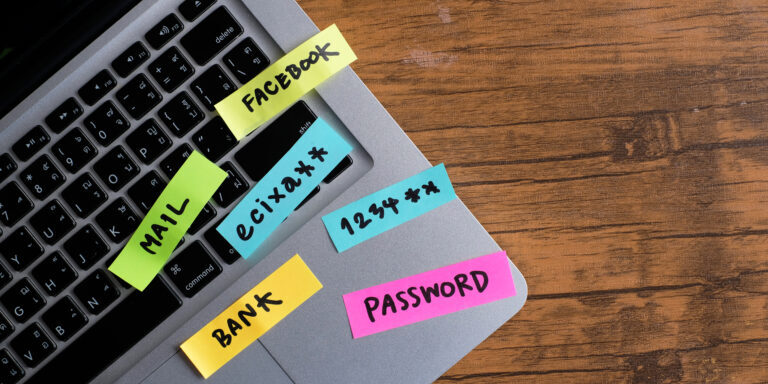
Ask a small business owner how their team stores passwords and you will usually hear some combination of the same answers. A spreadsheet. Sticky notes. A shared document in the cloud. The browser remembers most of them. One person keeps a master list and everyone texts them when they are locked out. And for the important accounts, everyone just uses the same password because it is easier.
None of this is unusual, and none of it is safe. Reused and weak passwords are still the single most common way business accounts get compromised, and no amount of security spending elsewhere fixes it. You can have multi-factor authentication, managed detection, and a hardened Microsoft 365 tenant, and one shared password in a spreadsheet still undoes a large part of it.
A password manager is the tool that fixes the root problem. But there is an important distinction that trips up a lot of businesses: the consumer password manager you use for your personal Netflix login is not the same thing as a business-grade password manager, and treating them as interchangeable creates real risk. This article covers why passwords are still the weak point, what a password manager actually does, and where consumer tools like LastPass Personal fall short for business use.
Why passwords are still the number one problem
It is tempting to think this is a solved problem. It is not. Year after year, the same root cause shows up in breach reports: stolen, reused, or weak credentials. The reason is simple. People cannot remember dozens of strong, unique passwords, so they do the human thing and reuse a handful of them across everything.
That reuse is what turns one breach into many. When a website you signed up for years ago gets breached and its password database leaks, attackers do not just try those credentials against that one site. They feed the leaked username and password combinations into automated tools and try them against banking portals, email providers, Microsoft 365, your accounting software, and everything else. This is called credential stuffing, and it works because the same password protects five different accounts. One leak, five doors open. Credential stuffing is one of six routes attackers use to get business credentials, and how hackers steal business passwords covers all six with the specific control that blocks each.
Weak passwords have the same effect through a different path. Short passwords, common words, and predictable patterns like a season and a year fall quickly to automated guessing, especially against exposed logins like remote desktop or admin portals. If you want to see how many of your business credentials have already turned up in a breach, signs your network has already been compromised is a useful reality check, because credential exposure is often the quiet first stage of an incident nobody noticed.
The uncomfortable part is that this is not really a technology failure. The password itself works fine. The failure is that we ask people to manage something humans are bad at managing, and then act surprised when they take shortcuts. A password manager removes the shortcut by making the secure option the easy option.
What a password manager actually does
At the most basic level, a password manager stores your passwords in an encrypted vault that is unlocked by one strong master password (and ideally a second factor). But the storage is the least interesting part. The value is in what it changes about behavior.
A password manager generates a long, random, unique password for every account. Because the software remembers them, the user never has to. The password for your accounting portal can be forty random characters and nobody needs to type it or recall it. That single change breaks credential stuffing, because a password that exists in exactly one place cannot be reused against anything else.
It autofills credentials on the correct site. This is a security feature, not just a convenience one. A password manager fills your Microsoft 365 password on the real Microsoft login domain and stays silent on a lookalike phishing page, because the domain does not match. A human eyeballing a URL can be fooled by a convincing fake. The password manager is not, which quietly blocks a whole class of phishing. The same domain-binding idea is what makes passkeys unphishable, and the better business password managers now store your passkeys right alongside your passwords.
It stores more than passwords. Good password managers hold secure notes, software license keys, multi-factor recovery codes, Wi-Fi credentials, and other secrets that otherwise end up in email drafts or a Notes app. That matters, because the recovery codes and API keys scattered around your business are exactly the things that go missing at the worst possible time.
And it moves passwords out of the browser. Browser-based password saving feels like a password manager, but it is tied to a personal account, syncs to wherever that account signs in, gives an employer no visibility, and is a known target for information-stealing malware that scrapes saved browser credentials directly off the machine. For personal use it is better than reuse. For a business, browser-saved passwords are a blind spot.
Consumer versus business-grade password managers
Here is the distinction that gets missed. Most people first meet a password manager as a personal product. LastPass, 1Password, Bitwarden, and others all sell consumer plans aimed at an individual protecting their own logins. Those products are good at what they do. The problem is that a business is not one individual, and the things a business needs are exactly the things the consumer tier leaves out.
A consumer password manager is built around a single person’s vault. There is no concept of the organization owning the data, no way for an administrator to see the state of the company’s credentials, and no way to get access back when the person holding the vault leaves. For personal use that is correct behavior. For a business, it means the company’s credentials live inside personal accounts the company does not control.
Business-grade password managers add an entire management layer on top of the same core vault technology. The differences that matter are these.
An admin console and central ownership. The business owns the vault data, not the individual employee. An administrator can see which users exist, enforce policy, and retain control of company credentials regardless of who set them up. When credentials belong to the company rather than to a personal account, they do not walk out the door with the person.
User provisioning and offboarding. Adding and removing employees is a controlled, auditable process. When someone leaves, their access is revoked centrally, and the credentials they used remain with the business. This ties directly into your broader Microsoft 365 offboarding checklist, because departing-employee credential risk is one of the most common gaps in a small business, and a consumer tool gives you no clean way to close it. The full picture of what happens to your passwords when an employee leaves is bigger than most businesses expect.
Role-based access and secure sharing. Teams need to share some credentials, the social media accounts, the shared vendor portals, the group mailbox login. A business password manager shares those through managed vaults with granular permissions, so the right people get access and, importantly, no one has to see or copy the actual password. Sharing a login stops meaning pasting it into a chat message.
Audit logs and reporting. A business-grade tool records who accessed what and when, and surfaces credential health across the organization: reused passwords, weak passwords, and logins found in known breaches. That reporting is what turns “we should improve our passwords” into a specific, prioritized list. It also gives you the evidence trail that a written cybersecurity policy and cyber insurance questionnaires increasingly expect.
Policy enforcement. Administrators can require a minimum master password strength, mandate a second factor to unlock the vault, and control whether credentials can be exported or shared externally. Policy stops being a document nobody follows and becomes something the tool actually enforces.
None of this exists in the personal tier of any of these products, because it is not what the personal tier is for. The gap is not about which brand is better. It is about which category of product you are buying.
Why LastPass Personal is not enough for work accounts
LastPass earns a specific mention here for two reasons, and neither is a reason to single it out unfairly. The first is that it is one of the most widely recognized names, so it is often what people reach for by default. The second is that the general lesson it illustrates applies to every consumer password tool, not just this one.
The straightforward problem is category. LastPass Personal, like any consumer plan, is designed for an individual. Point it at your business and you inherit every gap described above at once: no central ownership, no administrative visibility, no controlled offboarding, no organization-wide audit of credential health. The company’s passwords end up inside personal accounts, and the business has no clean way to see them, govern them, or recover them. That is true no matter how the underlying encryption performs.
The second problem is a reminder that where you keep your credentials is itself a security decision. A password manager concentrates every secret your business has into one vault. That is exactly why it is worth using a product built and operated to business-grade standards, with the administrative controls, monitoring, and recovery options that a company needs, rather than a personal plan that was never designed to be the security backbone of an organization. The point is not that consumer tools are badly built. It is that a business vault carries business-level stakes, and the consumer tier does not come with the controls that match those stakes.
So the honest framing is not “LastPass bad, competitor good.” It is that a personal password manager, whichever brand, is the wrong tool for protecting business accounts, because it is missing the management layer a business depends on. If your team is currently running work logins through personal password manager accounts, the fix is not necessarily to change brands. It is to move to the business tier of a reputable product, where the company owns and governs its own credentials.
What this means for your business
If your business does not have a password manager yet, this is one of the highest-impact and lowest-cost security improvements available to you. It directly attacks the most common cause of account compromise, it makes strong unique passwords effortless instead of aspirational, and business-grade plans typically run a few dollars per user per month, which is trivial next to the cost of a single breached account.
Two points are worth being clear about before you move.
First, a password manager is one layer, not the whole strategy. It removes the single biggest weakness, but it works best alongside multi-factor authentication and a broader approach to access. If you are thinking in terms of zero trust, where every access is verified rather than assumed, a business password manager is a foundational piece of that model, not a replacement for it. Strong unique passwords and a second factor reinforce each other; neither is sufficient alone.
Second, choose the right category from the start. The most common mistake is a business quietly standardizing on personal password manager accounts because a few employees already used one. That leaves the company’s credentials scattered across accounts it does not control. Start with a business plan, where the organization owns the vault, an administrator can enforce policy and see credential health, and offboarding is a controlled process rather than a scramble.
The practical next steps are to inventory where your credentials currently live, pick a business-grade password manager, roll it out with clear policy behind it, and get the shared and browser-saved passwords out of the places they should not be. Each of those is a topic in its own right. If you are ready for the next one, how to choose a password manager for your business walks through the criteria that actually matter and compares the main options honestly, and how to deploy a password manager across your business covers the rollout once you have picked one. And the problem with shared passwords deals with the credentials that cause the most trouble: the logins several people already know.
If you would rather see the whole subject laid out in one place before picking a starting point, business password management for small business covers the full stack: policy, tooling, identity, the credentials nobody owns, auditing, and what to do when something leaks.
How Sequentur can help
If you want help choosing, deploying, or standardizing a business password manager as part of a wider security setup, schedule a call and we will walk through your current setup with you.
Get the Best IT Support
Schedule a 15-minute call to see if we’re the right partner for your success.
Testimonials
What Our Clients Say
Here is why you are going to love working with Sequentur

"We had a cyber attempt on our network. I was asleep, my network engineer was asleep, but Sequentur was there to watch over and protect us. I'm truly grateful for that."

"I can actually take time off... and know there is someone there to handle the technical support issues for my staff."

"They know what they are talking about, you can tell there is a lot of experience there and a passion for doing the right thing by their customers."

"I feel like I can email or call anyone from the CEO on down and get a prompt response to any concerns I have."

"They're always very responsive and have the expertise to solve the problems that we present."