
Sequentur Blog
Helping you stay ahead of IT challenges
Real-world IT knowledge from engineers solving problems every day.
Practical IT knowledge for businesses that can’t afford downtime
Ransomware and backup: why your backup might not save you
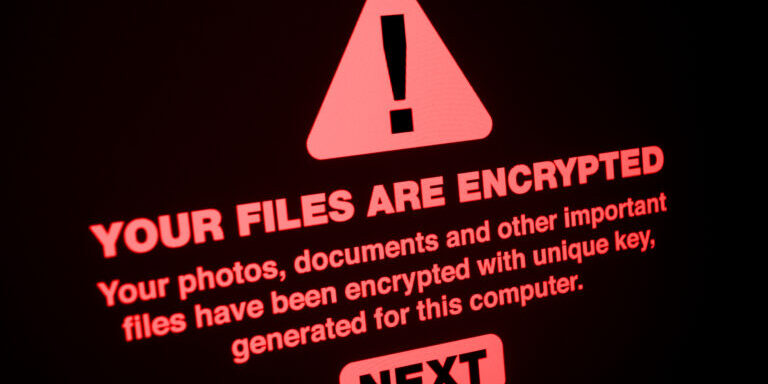
Most small businesses treat backup as their ransomware safety net. The thinking goes: if ransomware encrypts our files, we restore from backup and move on. It is a reasonable assumption, and it is wrong more often than it should be. Not because backup is a bad strategy – it is the best strategy – but because the way most businesses implement backup leaves it vulnerable to the same attack that takes out their production data.
Modern ransomware does not just encrypt your files and wait for payment. It hunts for your backups first. Attackers know that a business with clean, recoverable backups will not pay the ransom, so they deliberately target backup systems before deploying encryption. They delete shadow copies, encrypt NAS devices, wipe cloud backup credentials, and disable backup software. By the time the ransom note appears on screen, the backup is already gone.
This is not a theoretical risk. It is the standard playbook for ransomware groups operating in 2025 and 2026. If your backup strategy does not account for an attacker who is actively trying to destroy it, your backup is not ransomware-proof. It is ransomware-adjacent.
How ransomware targets backup systems
Understanding the attack sequence explains why so many backups fail during ransomware incidents. The attacker does not stumble onto your backup by accident. They look for it deliberately, and they know exactly where to find it.
Network reconnaissance
After gaining initial access – typically through phishing, exposed RDP, or an unpatched vulnerability – the attacker spends days or weeks inside your network before deploying ransomware. During this dwell time, they map the environment. They identify servers, workstations, domain controllers, and critically, backup infrastructure.
They look for:
- NAS devices on the network (Synology, QNAP, and similar devices are easy to identify by hostname or MAC address)
- Backup software installations (Veeam, Acronis, Datto agents, Windows Server Backup)
- Mapped network drives that point to backup shares
- Scheduled tasks related to backup jobs
- Cloud backup credentials stored in configuration files or the Windows credential manager
- Backup admin accounts in Active Directory
This reconnaissance is quiet. No files are encrypted yet. No alarms trigger. The attacker is building a map of what needs to be destroyed before the main attack begins.
Shadow copy deletion
The first thing most ransomware does before encrypting files is delete Windows Volume Shadow Copies (VSS snapshots). Shadow copies are the quick restore mechanism built into Windows – they let you right-click a file and restore a previous version. Ransomware deletes them with a single command:
vssadmin delete shadows /all /quiet
This runs silently and destroys every shadow copy on the system. If your “backup” was relying on VSS snapshots or Windows Previous Versions, it is gone before the encryption starts.
Backup software disruption
Sophisticated ransomware groups go further. They stop backup services, uninstall backup agents, and delete backup catalogs. Common techniques:
- Stopping the Veeam Backup Service, Acronis agent, or Windows Server Backup service
- Killing backup processes by name (veeam.backup.service.exe, acronisagent.exe, and others)
- Deleting backup job configurations so the software cannot run even if restarted
- Modifying Group Policy to prevent backup services from starting at boot
Some variants specifically target backup software. The Conti ransomware playbook, which leaked in 2022, included explicit instructions for operators to identify and disable Veeam before deploying encryption. Other groups target Acronis, Commvault, and Windows backup with equal precision.
NAS and network share encryption
A NAS device on the same network as your workstations and servers is reachable by ransomware. If the attacker can access it – and they usually can, because NAS devices are often configured with broad network access for convenience – they encrypt the backup data along with everything else.
This is the most common backup failure mode in ransomware incidents. The business had a backup. It ran every night. It was on a NAS in the server room. The ransomware encrypted the NAS because it was on the same network with the same credentials. The backup and the production data were destroyed simultaneously.
QNAP and Synology NAS devices have been directly targeted by ransomware strains (DeadBolt, eCh0raix) that exploit vulnerabilities in the NAS operating system itself. These attacks do not need to traverse the network from a compromised workstation – they attack the NAS directly through exposed management interfaces.
Cloud backup credential theft
If the attacker finds cloud backup credentials – stored in a configuration file, cached in a browser, saved in a password manager on a compromised workstation, or accessible through the backup software’s admin console – they can log into the cloud backup portal and delete the backup data before deploying ransomware.
Cloud backup is inherently more ransomware-resistant than local backup because it is off-network. But it is not immune if the credentials are accessible from the compromised environment. An attacker with admin access to your Veeam Cloud Connect portal, your Acronis cloud account, or your Datto partner portal can delete your cloud backups remotely.
Why a NAS backup on the same network is not ransomware-proof
This deserves its own section because it is the single most common false sense of security in small business backup.
A NAS device plugged into your network switch, accessible via SMB file share, is a backup target that ransomware can reach as easily as any other network share. The fact that it is a “dedicated backup device” does not make it special from a network security perspective. It is a storage device on the network. Ransomware encrypts storage devices on the network. That is what it does.
The typical small business NAS backup setup looks like this:
- NAS connected to the office network via Ethernet
- Backup software configured to write to a shared folder on the NAS (\\\\nas\\backups or similar)
- NAS credentials stored in the backup software or mapped as a network drive
- NAS accessible from any device on the network for convenience
Every one of these characteristics makes the NAS reachable by ransomware:
- Same network segment: The NAS is on the same VLAN as workstations and servers. No firewall or segmentation between them.
- SMB file share: The backup folder is accessible via the same protocol ransomware uses to spread. If ransomware can reach \\\\server\\files, it can reach \\\\nas\\backups.
- Stored credentials: The backup software stores the NAS credentials. If the workstation or server running the backup software is compromised, those credentials are exposed.
- No access controls beyond a password: The NAS typically does not restrict access by IP, by time of day, or by the specific backup application. Anything on the network that has the credentials can read and write to the backup share.
The result: ransomware encrypts the NAS the same way it encrypts the file server. Your backup is gone.
This does not mean NAS backup is useless. Local NAS backup is still valuable for non-ransomware scenarios – hardware failure, accidental deletion, application errors. But for ransomware specifically, a NAS on the same network without additional protections is not a safety net.
What actually protects backup against ransomware
Ransomware-resilient backup requires that at least one copy of your backup data is beyond the attacker’s reach even after they have full control of your network. There are several approaches, and the best strategy uses more than one.
Immutable backup storage
Immutable backup means the backup data cannot be modified or deleted for a defined retention period, even by an administrator. Once written, the data is locked. No one – not the backup admin, not a compromised service account, not an attacker with stolen credentials – can alter or delete it until the retention period expires.
Immutability is enforced at the storage level:
- Cloud immutability: AWS S3 Object Lock, Azure Immutable Blob Storage, Backblaze B2 with Object Lock, and Wasabi with Object Lock all support immutable storage. Once a backup is written with a retention lock, it cannot be deleted by any API call or admin action until the lock expires.
- Backup appliance immutability: Datto, Axcient, and other backup appliance vendors offer immutable snapshots on the local appliance. The snapshots are read-only and cannot be modified or deleted through the backup management interface.
- Linux-based hardened repositories: Veeam’s hardened Linux repository uses XFS immutable flags to prevent backup files from being modified or deleted, even by root. This provides on-premises immutability without cloud dependency.
Immutable backup is the strongest protection against ransomware targeting your backup. Even if the attacker has your backup admin credentials, they cannot delete the immutable copies. They can only wait for the retention period to expire, which is why retention periods for immutable backup should be at least 30 days and ideally longer.
Air-gapped backup
An air-gapped backup is physically or logically disconnected from the network except during backup windows. The attacker cannot reach what is not connected.
Physical air gap: An external drive or tape that is connected to the backup server only during the backup job and disconnected afterward. The drive sits in a safe or goes offsite between backup windows. Ransomware that arrives between backup windows cannot reach the disconnected drive.
For small businesses, a practical physical air gap is a set of rotating USB drives. One drive is connected during the nightly backup. After the backup completes, the drive is disconnected and stored securely. A second drive takes its place the next night. One drive is always offline and safe. This is low-tech but effective, and it is immune to any network-based attack.
Logical air gap: Cloud backup with separate credentials that are not stored anywhere on the production network. The backup agent authenticates to the cloud service using credentials that exist only in the backup software’s encrypted configuration, and the cloud backup account is not accessible from any device on the network through a browser or API without separate authentication.
A logical air gap is weaker than a physical one because the backup agent is still on the network and communicating with the cloud service. If the attacker compromises the backup server and extracts the credentials from memory or configuration, they can potentially access the cloud backup. But it is significantly stronger than a NAS on the same network, and it is the approach most managed backup providers use.
Network segmentation for backup infrastructure
If your backup server or NAS must be on the network (which is usually the case for practical reasons), segment it into its own VLAN with firewall rules that restrict access:
- Only the backup server can communicate with the NAS. No workstations, no other servers.
- The backup server is in a separate VLAN from production systems.
- Management interfaces for backup hardware and software are accessible only from specific admin workstations, not from general-purpose machines.
- Backup credentials are not stored on domain-joined machines.
Segmentation does not make backup immune to ransomware, but it raises the bar significantly. The attacker needs to compromise the backup VLAN specifically, which requires additional lateral movement that provides more opportunities for detection.
Separate backup credentials
Backup admin accounts should not be domain admin accounts. They should not even be domain accounts if you can avoid it. A backup system that authenticates with its own standalone credentials – not synced with Active Directory, not accessible via single sign-on – survives a domain compromise that gives the attacker control of every domain-joined account.
If your backup software logs in with a domain admin account, and the attacker compromises the domain controller, they have your backup credentials automatically. This is how ransomware groups routinely access and destroy backup systems: they compromise Active Directory first, then use the domain credentials to log into everything, including the backup infrastructure.
The ransomware backup timeline problem
Even when backup survives the ransomware attack, there is a timing problem that businesses do not think about until they are in the middle of recovery.
Dwell time and backup contamination
The attacker was inside your network for two weeks before deploying ransomware. During those two weeks, your backup was running normally, backing up your data every night. But the attacker was also active during those two weeks – installing backdoors, creating new admin accounts, modifying configurations, and potentially planting malware that will re-execute after restoration.
Your most recent backups contain the attacker’s modifications. Restoring from last night’s backup restores the clean data and the attacker’s persistence mechanisms. You recover, the ransomware redeploys, and you are back to square one.
This is why ransomware recovery takes longer than most businesses expect. You cannot simply restore the latest backup. You need to identify the point of compromise and restore from a backup that predates the initial intrusion, not just the encryption. If the attacker had two weeks of dwell time, you need a backup from at least two weeks ago. If your retention is only 14 days, your oldest backup may already be contaminated.
Retention depth matters
For ransomware resilience, backup retention needs to extend beyond the typical dwell time for ransomware attacks. Industry data puts the average dwell time at 10 to 21 days. That means your backup retention should be at least 30 days, and ideally 60 to 90 days, to ensure you have clean restore points that predate the intrusion.
Short retention policies – 7 days, for example – leave you vulnerable to any attacker who was inside your network for more than a week. Every backup in your retention window is contaminated. You have backups, they complete successfully, and none of them are clean enough to restore from.
This connects directly to the 3-2-1 backup rule: the “1 offsite” copy should have longer retention than the local copy. Local backup provides fast recovery for recent events. Offsite backup with extended retention provides the safety net for ransomware scenarios where you need to go back weeks or months.
How managed backup providers handle ransomware resilience
A managed backup service that takes ransomware seriously implements most or all of the protections described above as part of the standard service:
Immutable cloud storage. Backup data replicated to cloud storage with immutability enabled. The managed provider configures the retention lock so that even a compromised account cannot delete the cloud copies.
Credential isolation. The backup system uses dedicated credentials that are not part of the client’s Active Directory. Compromising the client’s domain does not automatically compromise the backup.
Monitoring for anomalies. Sudden spikes in backup data volume (which happens when ransomware encrypts files, changing every file and triggering a full re-backup) trigger alerts. Unusual backup job behavior – jobs running at unexpected times, backup configurations being modified, retention policies being changed – is flagged for investigation.
Regular restore testing. The provider tests restores periodically and documents the results. When ransomware hits and a restore is needed, the provider already knows the backup works because it was tested recently. This is the difference between a tested backup and an untested one – and during a ransomware incident, it is the difference between recovery and data loss.
Incident response integration. When ransomware is detected, the backup provider coordinates with the incident response process: verifying which backups are clean, identifying the pre-compromise restore point, and executing the restore once the environment is secured.
What to check right now
If you want to know whether your backup would survive a ransomware attack, ask these questions about your current setup:
- Is any backup copy immutable? Can an attacker with your backup admin credentials delete your backup data? If yes, your backup is not ransomware-resilient.
- Is any backup copy offline or air-gapped? Is there a copy that an attacker cannot reach from inside your network? If every backup is on a network-connected device, ransomware can reach all of them.
- Are backup credentials separate from domain credentials? If your backup software authenticates with a domain admin account, a domain compromise gives the attacker your backup.
- How long is your retention? If your backup retention is less than 30 days, you may not have a clean restore point after a ransomware attack with extended dwell time.
- Is your NAS on the same network as workstations? If ransomware on a workstation can reach your backup NAS via file share, the NAS is not protected.
- When was your last restore test? If you have never tested a restore, you do not know if your backup works. Finding out during a ransomware incident is the worst possible time.
If the answer to most of these is “no” or “I don’t know,” your backup would not survive a targeted ransomware attack. The good news is that fixing these gaps does not require replacing your entire backup infrastructure. Adding immutable cloud replication to an existing local backup, isolating backup credentials from the domain, and extending retention are incremental changes that dramatically improve ransomware resilience.
How Sequentur builds ransomware-resilient backup
Ransomware resilience is built into our backup architecture by default, not offered as an add-on. For every client, we deploy backup with immutable cloud storage, credential isolation from Active Directory, and retention policies that extend well beyond typical ransomware dwell times. Local backup provides fast recovery for day-to-day restore needs, and immutable cloud copies provide the safety net that survives a full network compromise.
We monitor backup jobs daily for anomalies that could indicate an active attack – volume spikes, configuration changes, unexpected job failures – and we coordinate with our security monitoring to connect backup anomalies with other indicators of compromise. When an incident occurs, we know which backups are clean and how far back we need to go before the attacker was present.
If you are not confident that your current backup would survive a ransomware attack, or if you have been through an incident and want to make sure it does not happen again, reach out through our contact page. We can assess your backup’s ransomware resilience and show you exactly where the gaps are.
Get the Best IT Support
Schedule a 15-minute call to see if we’re the right partner for your success.
Testimonials
What Our Clients Say
Here is why you are going to love working with Sequentur

"We had a cyber attempt on our network. I was asleep, my network engineer was asleep, but Sequentur was there to watch over and protect us. I'm truly grateful for that."

"I can actually take time off... and know there is someone there to handle the technical support issues for my staff."

"They know what they are talking about, you can tell there is a lot of experience there and a passion for doing the right thing by their customers."

"I feel like I can email or call anyone from the CEO on down and get a prompt response to any concerns I have."

"They're always very responsive and have the expertise to solve the problems that we present."