
Sequentur Blog
Helping you stay ahead of IT challenges
Real-world IT knowledge from engineers solving problems every day.
Practical IT knowledge for businesses that can’t afford downtime
How Microsoft Purview helps with HIPAA compliance for small healthcare businesses
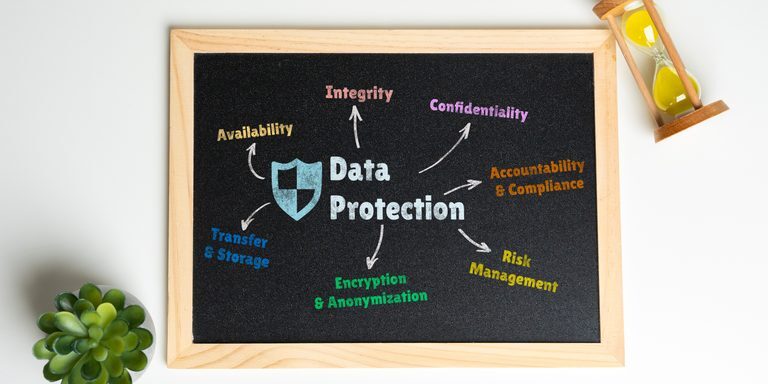
Microsoft Purview helps with HIPAA compliance by covering several of the Security Rule’s requirements for patient information in email and files. A medical, dental, or therapy practice on Microsoft 365 Business Premium already has the audit log, encrypted email, data loss prevention, sensitivity labels, and retention policies, and Microsoft’s business associate agreement comes with the subscription. The audit log is on from the start, and the rest needs setting up.
The Security Rule doesn’t name products, and HHS doesn’t certify any software as HIPAA compliant. Purview gives you tools for specific requirements: a record of who did what, encryption when patient information leaves the practice, a check on health information in outgoing email, and a way to track your progress in Compliance Manager. The risk analysis, which is where HIPAA enforcement starts, happens outside Microsoft 365, and so does most of the patient record, which usually lives in an electronic health record (EHR) system.
If your practice or business is in Ohio, two state laws work alongside HIPAA. The breach notification statute steps aside for HIPAA covered entities, and the Data Protection Act lets a security program built on the HIPAA Security Rule serve as a defense in a lawsuit after a breach.
Purview and HIPAA at a glance
| Question | Answer |
|---|---|
| Is Microsoft 365 HIPAA compliant? | No software is, because HHS doesn’t certify products. Microsoft includes a business associate agreement in its Data Protection Addendum and runs its services to the Security Rule. Whether you comply depends on how you set it up and how the practice runs. |
| Do we have to sign a BAA with Microsoft? | No. Microsoft’s BAA is part of its Data Protection Addendum and applies by default to customers that are covered entities or business associates. |
| Which plan do we need? | Business Premium covers the audit log, encrypted email, DLP for email and files, sensitivity labels people apply themselves, and retention policies. A year of audit history, DLP for Teams chat and computers, and automatic labeling need E5 or the Purview add-on. |
| Which Security Rule requirements does Purview help with? | Audit controls and activity review, encryption, transmission security, integrity, and keeping HIPAA records for six years. |
| What doesn’t it do? | The risk analysis, policies and training, BAAs with your other vendors, sign-in security, device encryption, backups, and anything inside your EHR. |
| Can Compliance Manager track HIPAA? | Yes, with the premium HIPAA/HITECH assessment template, at a list price of $6,000 a year. Microsoft 365 E5 includes three premium templates. |
| Is the updated Security Rule in effect? | No. HHS proposed changes in January 2025, and as of November 2026 they haven’t been finalized. |
Where Purview fits in the Security Rule
The Security Rule protects electronic protected health information (ePHI), and groups its requirements into administrative, physical, and technical safeguards, and marks each one as required or addressable. Our guide to HIPAA cybersecurity requirements explains the safeguards and what addressable means in practice. Purview helps most with the technical safeguards, and with keeping the records the administrative ones ask for.
| Security Rule requirement | What it asks for | Where it’s handled in Microsoft 365 |
|---|---|---|
| Audit controls, §164.312(b) | A way to record and examine activity in systems that hold ePHI | Purview Audit |
| Information system activity review, §164.308(a)(1)(ii)(D) | Regular review of records like audit logs and access reports | Audit searches, alert policies, and DLP alerts, plus a person who reads them |
| Log-in monitoring, §164.308(a)(5)(ii)(C) | Watching log-in attempts and reporting discrepancies | Microsoft Entra ID sign-in logs, and sign-in records in Purview Audit |
| Access control, §164.312(a) | Unique user IDs, emergency access, automatic logoff, encryption | Entra ID and Intune for accounts and devices, sensitivity labels for who can open a file |
| Integrity, §164.312(c) | Protecting ePHI from being changed or destroyed improperly | Retention policies keep items from being deleted for good, and a backup restores them |
| Person or entity authentication, §164.312(d) | Confirming people are who they say they are | Entra ID, with multifactor authentication (MFA) |
| Transmission security, §164.312(e) | Protecting ePHI sent over a network | Microsoft’s own encryption in transit, Purview Message Encryption, and DLP |
| Documentation, §164.316(b) | Written policies, and records of required actions and assessments, kept six years | Retention labels on your HIPAA records |
| Risk analysis and risk management, §164.308(a)(1)(ii)(A) and (B) | An accurate, thorough assessment of risks to ePHI, and the measures that reduce them | Outside Microsoft 365. Compliance Manager can track the work |
Entra ID and Intune aren’t part of Purview, but both come with Business Premium, and a HIPAA setup in Microsoft 365 leans on them as much as on Purview. Conditional Access is where MFA and sign-in rules are set, and Intune is how laptops get BitLocker and a screen that locks by itself.
Start with Microsoft’s business associate agreement
A covered entity needs a BAA with every vendor that creates, receives, keeps, or sends protected health information (PHI) on its behalf, and a business associate needs one with each subcontractor that does the same for it. Microsoft is a business associate of any practice that keeps patient information in Microsoft 365, and a subcontractor of any billing company or IT provider that does.
Microsoft’s HIPAA BAA is part of its Data Protection Addendum, and it applies by default to customers that are covered entities or business associates. There’s no form to sign. Microsoft also won’t sign a customer’s own BAA, since it runs the same service for every customer. Download a copy of Microsoft’s from the Service Trust Portal and file it with your other vendor agreements, so it’s on hand when an auditor or a client asks.
What the BAA covers
The BAA covers the services Microsoft lists as in scope. For a Microsoft 365 commercial tenant, the list includes Exchange Online, SharePoint Online, OneDrive, Teams, Microsoft Entra ID, Forms, Planner, the Office apps, the Purview portal, Compliance Manager, Microsoft Defender for Office 365, and Microsoft Copilot and Copilot Chat. Intune and Windows 365 are on it too.
What it doesn’t cover
- Your setup. Microsoft answers for its datacenters and its service. Who can open a mailbox, whether email to patients is encrypted, and whether anyone reads the audit log are up to you. Microsoft’s own HIPAA page says using its services doesn’t achieve compliance on its own.
- Personal accounts. A personal Outlook.com address, a personal OneDrive, or consumer Copilot signed in with a personal Microsoft account isn’t covered.
- Copilot’s web searches. Microsoft says the searches Copilot sends to Bing to answer a prompt aren’t covered by the Data Protection Addendum or the BAA.
- Apps connected to Microsoft 365. An online fax service that delivers to a shared mailbox, a patient reminder tool with access to calendars, a transcription tool that joins Teams meetings. Each one is a separate vendor and needs its own BAA before it handles PHI.
Connected apps are easy to miss, because staff add them one at a time over the years. In the Microsoft Entra admin center, Enterprise applications lists the outside apps people have signed in to with their work accounts or given access to mail, calendars, and files. Compare that list with the vendors you have BAAs with. Our guide to evaluating technology vendors covers what else to ask before a new one gets access.
Audit: recording activity and reviewing it
The Security Rule’s audit controls standard asks for mechanisms “that record and examine activity in information systems that contain or use electronic protected health information.” A separate required item asks you to review records of that activity regularly, such as audit logs and access reports. In Microsoft 365, Purview Audit handles the recording, and the reviewing needs someone with time set aside for it.
What it records and how long it keeps it
Audit (Standard) is switched on by default. It logs user and admin activity across Microsoft 365, including file downloads and sharing, new inbox rules, sign-ins, and changes to permissions and roles, and holds six months (180 days) of it on every business plan. With Microsoft 365 E5 or the Purview add-on for Business Premium, Audit (Premium) holds a year of Entra ID, Exchange, SharePoint, and OneDrive records, and a separate add-on stretches other records to as long as ten years. Only users who hold one of those licenses get the longer history.
HIPAA doesn’t say how long to keep audit logs. It does require you to keep the documentation it calls for, including records of required actions and assessments, for six years from when each was created or was last in effect. One way to meet that is to keep a written record of each review, with exports of anything the review turned up, and leave the log itself at 180 days. Another is to keep a year or more of raw history, which helps when a breach is discovered months after it began. Decide with whoever advises you on compliance, and write the decision into your security policy.
MailItemsAccessed, for a mailbox someone broke into
When someone gets into a staff member’s mailbox, the HIPAA question is whose information they could see. The MailItemsAccessed audit record helps answer it. Exchange Online records when messages are opened or synced, through every mail protocol, so after an incident you can list the messages the intruder reached and check which of them held PHI. If the intruder synced a folder with a desktop mail app, the record covers the whole folder, and every message in it is treated as seen. Microsoft’s own page on MailItemsAccessed uses HIPAA as its example.
That record is also the evidence the Breach Notification Rule asks for. HIPAA treats an impermissible disclosure as a breach unless a documented risk assessment shows a low probability of compromise, and the assessment has to consider whether anyone actually acquired or viewed the PHI. For a mailbox, a list of the opened messages answers that. Without one, a practice usually ends up treating the whole mailbox as read and notifying every patient in it.
MailItemsAccessed is part of Audit (Standard), and Microsoft documents it as on by default for users with Office 365 or Microsoft 365 E3 or E5 licenses. On Business Premium, ask your IT provider to confirm your mailboxes are recording it before you need it.
Make the review a routine
The review is the part that’s easiest to let slide. A simple routine for a small practice:
- Every month. Search the audit log for new forwarding rules, mailbox access by anyone other than the mailbox’s owner, files shared with people outside the practice, and changes to admin roles. Write down what you checked, who checked it, and anything you followed up on.
- When an alert comes in. Microsoft 365 has default alert policies, such as one for a newly created forwarding rule, and DLP policies send alerts of their own. Most go to the Global Administrators by default, which in a small practice is sometimes an account nobody reads mail on. Add the practice manager or your IT provider as a recipient.
- When someone leaves. Look at their downloads and sharing for their last two weeks, alongside the steps in our offboarding checklist.
Keep the review notes in one place under a retention label that holds them for six years. If HHS’s Office for Civil Rights (OCR) ever asks how you review system activity, those notes are your answer.
Encryption: what Microsoft does and what you add
Encryption is addressable under the current Security Rule. You either encrypt, or you document why another measure protects the information just as well, which is a hard case to make for PHI in email and on laptops.
Inside Microsoft 365
Microsoft encrypts Microsoft 365 data at rest in its datacenters and in transit between its services and your devices, without anything for you to turn on. That covers mailboxes, SharePoint, OneDrive, and Teams for as long as the data stays in the service.
Email that leaves the practice
Email to another organization is the usual gap. Exchange Online encrypts its connection to the receiving mail server when that server supports encryption, which most do, but there’s no guarantee, and after delivery the message is just another email in an outside mailbox. Microsoft Purview Message Encryption, included in Business Premium, E3, and E5, protects the message itself. A patient on Gmail or Yahoo opens it in Microsoft’s web viewer, after signing in or entering a one-time passcode.
Staff can encrypt a message themselves in Outlook, and a DLP rule can encrypt it automatically when it finds health information going outside. Usually you want both. Staff use the Encrypt option for messages they know are sensitive, and the rule catches the ones they don’t think about, like a referral letter forwarded to a specialist’s office.
Patients can ask to get email without encryption. HHS allows a provider to send it once the patient has been told the risk and still wants it that way. Keep a note that you explained the risk.
Advanced Message Encryption, which can make encrypted email to outsiders expire and lets you revoke a message after it’s sent, comes with Microsoft 365 E5 and isn’t part of Business Premium.
Files that leave Microsoft 365
A file downloaded from SharePoint or attached to an email no longer has the service’s encryption around it. A sensitivity label that encrypts the file keeps it protected wherever the copy ends up, because opening it requires signing in as someone the label allows. Encrypting labels take some planning first, mostly around how files get to patients and other providers, and our sensitivity labels guide covers that planning.
Laptops and phones
Purview doesn’t encrypt devices. BitLocker on Windows and FileVault on Macs do, and Intune can require them and report any device that isn’t encrypted. Lost and stolen laptops have been behind a long list of HIPAA settlements over the years, and encrypting them costs nothing extra on Business Premium.
Encryption and breach notification
HIPAA’s breach notification rules apply to unsecured PHI. Under HHS guidance, PHI encrypted to the standards of the National Institute of Standards and Technology (NIST) isn’t unsecured, as long as the key wasn’t compromised along with it. A properly encrypted laptop that goes missing is usually not a reportable breach. Encryption doesn’t help when a message goes to the wrong person, though. The wrong recipient can open an encrypted email as easily as the right one, so a misaddressed message still has to be assessed as a possible breach.
DLP for health information
DLP checks email and files for sensitive information and steps in when it’s about to leave in a way your policy doesn’t allow. It can warn the sender, encrypt the message, or block it. Business Premium includes DLP for Exchange email, SharePoint, and OneDrive, and that covers files shared in Teams, since Teams keeps them in SharePoint and OneDrive. Checking Teams chat messages, or what happens on a computer, like a file copied to a USB stick, takes E5 or the Purview add-on.
The two HIPAA templates
Under Medical and health, Purview offers two DLP policy templates for HIPAA:
- U.S. Health Insurance Act (HIPAA) looks for ICD-9-CM and ICD-10-CM diagnosis codes.
- U.S. Health Insurance Act (HIPAA) Enhanced looks for an identifier, such as a Social Security number, a DEA number, a U.S. street address, or a full name, together with health information, such as a diagnosis code or a medical term. It also uses Microsoft’s trainable classifiers for healthcare documents, health and medical forms, and employee insurance files. Its default rule sends a notification when matching content is shared outside the organization, and blocks nothing.
The name, address, and medical-term detectors and the trainable classifiers are advanced classification features that need E5 or the Purview add-on. On Business Premium alone, the Enhanced template mostly matches on Social Security and DEA numbers alongside diagnosis codes, so a referral letter with a patient’s name and a written-out diagnosis can go through unnoticed. These help close the gap.
- A custom sensitive information type for your record numbers. If your EHR’s medical record numbers or patient account numbers follow a pattern, such as a fixed prefix and a set number of digits, you can describe that pattern and add it to the policy. Custom types are included with Business Premium.
- Optical character recognition. Faxes delivered to email and scanned referrals are images, and DLP can’t read an image until image scanning is on. Microsoft bills it pay as you go, at about $1 per 1,000 images or scanned pages, and you can limit it to email going outside the practice.
When to encrypt and when to block
Much of the PHI that leaves a practice is supposed to leave. Insurers, labs, referring offices, the billing company, and patients all receive it as part of the work. A rule that blocks health information going outside stops that work and teaches staff to reach for personal email. Usually, the better rule encrypts health information going outside and shows a policy tip, and blocks only what should never leave, like a spreadsheet of hundreds of patients going to a personal Gmail address.
Run any new policy in simulation mode for a couple of weeks first, and read what it matched before it acts on anything. Our guide to setting up DLP policies covers simulation, policy tips, overrides, and the order rules run in, which affects whether a message gets encrypted.
Retention: six years of HIPAA records
The Security Rule requires you to keep its documentation, meaning your written policies and procedures and the records of the actions and assessments it asks for, for six years from the date each was created or was last in effect, whichever is later. That covers the risk analysis, the security policies, training records, activity review notes, incident records, and BAAs. The Privacy Rule has a matching six-year rule for its own documentation.
A Purview retention label keeps those records for you. On Business Premium, create a label such as “HIPAA record, keep 6 years”. Set it to keep items for six years from when they were last modified, and to do nothing when the six years are up, so nothing is deleted automatically. Publish it to the people who handle compliance paperwork, who apply it as records are saved. Microsoft 365 keeps a copy of anything under the label for the six years, even if someone deletes it. Applying retention labels automatically, based on what a document contains, needs E5 or the Purview add-on.
HIPAA doesn’t set how long you keep the medical record itself. State law, your payer contracts, and your malpractice carrier’s advice do. Check that any retention policy deleting old email or files leaves alone anything you’re required to keep.
Retention keeps items from being deleted, but it can’t put a mailbox or a SharePoint site back the way it was before ransomware got to it. The Security Rule’s contingency plan requires a data backup plan, and Microsoft 365 still needs a backup for that.
Tracking HIPAA in Compliance Manager
Every Microsoft 365 plan includes Compliance Manager, and HIPAA/HITECH is a premium template in it. Premium templates list at $6,000 each per year, three are included with Microsoft 365 E5, and a tenant can trial as many as 25 for 90 days at no cost. The Data Protection Baseline every tenant gets for free isn’t built on HIPAA.
The template breaks the Security Rule down into controls and improvement actions. Technical actions, like requiring MFA or keeping the audit log on, test themselves from your Microsoft 365 settings. Actions about policies and processes, which covers most of the administrative safeguards, are marked complete by a person, who uploads evidence such as a signed policy or a training report. Microsoft’s share of each control, for its datacenters and its service, appears separately as Microsoft actions. Our Compliance Manager guide explains the score, the roles, and the exports you’d hand an auditor.
Buying the template makes sense when someone outside the practice wants to see a HIPAA assessment. That could be a hospital system or payer you contract with, a covered entity client sending you security questionnaires if you’re a business associate, or a lawyer reviewing the written program you’d rely on under Ohio’s Data Protection Act. A practice with nobody asking can do its risk analysis with the HHS Security Risk Assessment Tool, which is free, and work through Microsoft 365 settings with Secure Score and the free baseline, then buy the template when someone asks for an assessment against HIPAA.
The compliance score doesn’t replace a risk analysis either way. It measures progress through Microsoft’s list of actions for the services you assessed, and a risk analysis covers every place your ePHI lives, including the EHR, paper charts, and the front desk.
Copilot and patient information
Used with work accounts, Microsoft Copilot and Copilot Chat are within the scope of Microsoft’s BAA, and Microsoft says they support HIPAA compliance when they’re configured properly. Copilot can reach whatever the person asking can reach. If a folder of patient files was shared with everyone in the practice by mistake, anyone can ask Copilot to summarize it, so clean up sharing and apply labels before you roll it out.
Admins can turn web search off for Copilot, which keeps prompts from reaching Bing at all. If it stays on, tell staff to keep patient details out of prompts that need the web. Audit records Copilot interactions, and DLP can check prompts for sensitive information on Business Premium as well as E5. Our Copilot guide has the rollout checklist, and AI and HIPAA covers other AI tools, scribes, and what to document.
What Purview doesn’t do for HIPAA
- The risk analysis. It’s the Security Rule’s first required item, and a missing or incomplete one is cited in most of OCR’s recent settlements. OCR has run an enforcement initiative on risk analysis since October 2024, and its settlements have included small practices. The HHS Security Risk Assessment Tool is a free place to start.
- Policies, training, and a named security official. These are written documents and records, and Purview can only store them. A written cybersecurity policy covers a good share of them in one document.
- BAAs with your other vendors. The EHR, the billing company, the fax service, the answering service, the IT provider, and the shredding company each need one.
- The EHR. Purview sees Microsoft 365. Access control and audit logging inside the EHR are set up in the EHR, under that vendor’s BAA. Purview comes in when exports, reports, and faxes leave the EHR and land in email, OneDrive, or SharePoint.
- Accounts and devices. MFA, separate admin accounts, sign-in rules, device encryption, and automatic screen locks are set in Entra ID and Intune. Our Microsoft 365 security hardening guide covers most of it.
- Physical safeguards. Locked rooms, screens patients can’t see from the waiting area, and how old drives are wiped.
- The Privacy Rule. Your notice of privacy practices, patients’ requests for their own records, and the minimum necessary standard.
- Deciding about a breach. Purview gives you evidence. Deciding whether an incident is a reportable breach, and sending the notices, is a process you write down before you need it.
The proposed Security Rule changes
HHS published proposed changes to the Security Rule in January 2025. They would remove the difference between required and addressable, make encryption and MFA required with few exceptions, and add requirements like a written inventory of technology assets, a network map, restoring certain systems within 72 hours, regular vulnerability scans, and a yearly compliance audit. As of November 2026, the changes haven’t been finalized. The federal regulatory agenda gives July 2027 as the target for final action, and until then the current rule applies.
A practice that already encrypts email and laptops, requires MFA everywhere, and keeps notes of its audit reviews will have less to change if the final rule looks like the proposal.
A setup order for a small practice
For a practice of 10 to 30 people on Business Premium, with a cloud EHR and an outside billing company, a sensible order is:
- Start the risk analysis. The free HHS Security Risk Assessment Tool is built for small and medium practices. List everywhere ePHI lives, including the EHR, email, OneDrive, the fax service, and paper, so the steps below follow what you find.
- Paperwork. Download Microsoft’s BAA, export the Enterprise applications list, and match each connected app against a BAA. Remove access for any app that handles PHI without one.
- Accounts and devices. Require MFA for everyone with Conditional Access, give admins separate admin accounts, and require BitLocker or FileVault and a screen lock through Intune.
- Audit. Confirm the audit log is on and that mailboxes record MailItemsAccessed, add a real person to the default alert policies, and put the monthly review on someone’s calendar.
- DLP in simulation. Start from the HIPAA Enhanced template, add a custom type for your record numbers, and set the outside-email rule to encrypt with a policy tip. Turn on image scanning for email going outside if faxes and scans arrive in Microsoft 365. Read two weeks of matches before switching the policy on.
- Labels. Publish a small set, with an unencrypted Internal label as the default and an encrypted label only practice staff can open, for patient files.
- Retention. Create the six-year label for HIPAA records, and set email and file retention to match how long you keep each kind of record.
- Update the risk analysis. Record what steps 2 through 7 changed. If you bought the HIPAA/HITECH template, track the Microsoft 365 part in Compliance Manager too.
HIPAA and Purview for Columbus healthcare businesses
Sequentur supports healthcare practices and the businesses that work with them across Columbus and Central Ohio, including Dublin and Westerville, from our Columbus office. Two Ohio laws affect how a HIPAA program here is set up.
Ohio’s breach notification law
Ohio Revised Code section 1349.19 sets a deadline of 45 days from discovery to notify Ohio residents whose personal information was breached. It defines personal information as someone’s name paired with their Social Security number, driver’s license or state ID number, or a financial account or card number along with the code needed to use it. Covered entities as HIPAA defines them are excluded from the section, so a medical practice works from HIPAA’s Breach Notification Rule. Under that rule, patients get notice without unreasonable delay and within 60 days of discovery, HHS gets a report, and the media gets notice when more than 500 residents of a state are involved.
The exemption names covered entities only, so it doesn’t reach a billing company, transcription service, or IT provider that’s a business associate. For a business associate, a breach involving Ohio residents’ Social Security, driver’s license, or account numbers can bring the state’s 45-day deadline into play alongside HIPAA’s requirement to tell the covered entity within 60 days. Ask your lawyer how the two apply to your business before there’s an incident, and write the answer into your incident response plan.
The Data Protection Act’s safe harbor
Chapter 1354 of the Revised Code, Ohio’s Data Protection Act, is optional. If a business is sued under Ohio law or in an Ohio court over a breach, and the claim is that its security wasn’t reasonable, a written cybersecurity program that meets the statute, kept up and followed, gives it an affirmative defense to tort claims like negligence. The program must reasonably conform to one of the frameworks the statute recognizes, and for a business HIPAA regulates, conforming to the entire HIPAA Security Rule counts. Practices already have to meet the Security Rule, so the extra work the safe harbor asks for is mostly having the program in writing and the records to show it’s followed.
For the Microsoft 365 part, Compliance Manager’s HIPAA/HITECH assessment gives you those records: dated results, a named owner and evidence for every control, and a history of each test. Anything outside Microsoft 365, like the EHR, paper charts, and the front desk, belongs in the written program itself. Ask your lawyer whether the program qualifies, and how fast it would need updating if HHS finalizes the Security Rule changes.
Common mistakes
- Treating the BAA as enough. It covers Microsoft’s part of the work, and the setup and the rest of the program are yours.
- Blocking health information to every outside address. Insurers, labs, and patients receive PHI as part of the work. Encrypt those messages, and block only what should never leave.
- Recording activity and never reviewing it. Review is its own required item, and a log nobody reads won’t show OCR that you’re reviewing anything.
- Using the compliance score as a risk analysis. The score covers Microsoft 365, and the risk analysis has to cover everywhere ePHI lives.
- Missing the apps connected to Microsoft 365. A fax or reminder service with mailbox access and no BAA is a gap no Purview setting closes.
- Leaving the Enhanced DLP template as is on Business Premium. Without the E5 detectors it misses names and written-out diagnoses. Add a custom type for your record numbers and test it with real documents.
What is next in this series
The next article covers the Microsoft Purview audit log in more depth: what it records across Microsoft 365, how standard and premium audit differ in retention and log types, how to search the log and export what you find, what to look for during a security incident, and how long to keep audit records for compliance.
How Sequentur can help
For help working out what your Microsoft 365 plan already covers for HIPAA, setting up encryption and DLP for patient information, or starting a routine for reviewing the audit log, schedule a call. For practices and business associates in Columbus, Dublin, Westerville, and elsewhere in Central Ohio, we can meet at your office, and our IT support in Columbus handles the Microsoft 365 side day to day.
Get the Best IT Support
Schedule a 15-minute call to see if we’re the right partner for your success.
Testimonials
What Our Clients Say
Here is why you are going to love working with Sequentur

"We had a cyber attempt on our network. I was asleep, my network engineer was asleep, but Sequentur was there to watch over and protect us. I'm truly grateful for that."

"I can actually take time off... and know there is someone there to handle the technical support issues for my staff."

"They know what they are talking about, you can tell there is a lot of experience there and a passion for doing the right thing by their customers."

"I feel like I can email or call anyone from the CEO on down and get a prompt response to any concerns I have."

"They're always very responsive and have the expertise to solve the problems that we present."