
Sequentur Blog
Helping you stay ahead of IT challenges
Real-world IT knowledge from engineers solving problems every day.
Practical IT knowledge for businesses that can’t afford downtime
Managed network services for small business
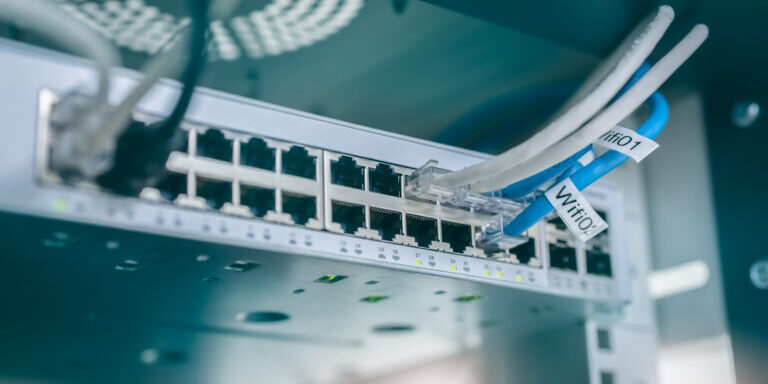
The network is the part of the IT stack most small businesses notice only when something is wrong. A slow morning, a dropped video call, a printer that vanishes from the file server, a Wi-Fi dead zone in the new conference room. Each one looks like an isolated annoyance. Together, they are usually a symptom of the same root cause: a network that was set up once, was never re-evaluated, and has slowly drifted out of alignment with how the business actually uses it. Most SMB networks do not need to be replaced – they need to be managed.
The label “managed network services” covers a wide range of work. Some providers will resell a cloud-managed firewall and call it network management. Some will monitor uptime, react to outages, and bill for the rest. Some will run the whole stack as an operational service – firewall, Wi-Fi, switches, segmentation, monitoring, security, vendor support, refresh planning, and the ongoing tuning that keeps a network performing under real conditions. Pricing ranges from $50 per month for basic remote monitoring to several thousand per month for a full managed-network-and-security service across multiple sites. The label is the same; the actual scope is not.
This page is the hub for everything we have written about network management for small and mid-sized businesses. It explains what a real managed network engagement looks like, how Sequentur scopes and runs it, what to expect at each phase, what it actually costs, and where managed network services are – and are not – the right answer. The detailed articles linked throughout cover specific decisions in depth: why networks slow down, how to choose business Wi-Fi, when to deploy VLANs, how to set up a firewall, what a network assessment delivers, and the operational disciplines that keep a network healthy after the initial work is done.
Short answer: what managed network services actually deliver
A managed network service designs, deploys, operates, and continuously improves the network infrastructure of a small or mid-sized business – including the firewall, wireless access points, switches, segmentation (VLANs), monitoring, security controls, and the vendor relationships and refresh planning that go with them. A genuine engagement covers a network assessment up front, a documented baseline, 24/7 monitoring with defined alerting, firmware and security patching on a real cadence, change management for additions and moves, and a quarterly review that closes the loop between what the network is doing and what the business needs. It is delivered as an ongoing operational service with clear SLAs, a fixed monthly fee, and one team accountable for the result.
For a security-first MSP / MSSP like Sequentur, the same engagement also includes default-deny firewall configuration, DNS filtering, IPS / IDS in inspection mode, geo-blocking, MFA-protected admin access, segmented guest and IoT VLANs, audit-ready logging, and quarterly security reviews to keep the network posture aligned with insurance, compliance, and threat-landscape changes.
Managed network services at a glance
| Service area | What it covers | Cadence |
|---|---|---|
| Network assessment and baseline | Topology, inventory, security gaps, performance bottlenecks, patch status | Initial + annual refresh |
| Firewall management | Configuration, rules, subscriptions, IPS / DNS filtering, MFA on admin | Continuous + quarterly review |
| Wi-Fi management | Access point health, RF tuning, SSID lifecycle, guest portal | Continuous + monthly check |
| Switch management | Port configuration, VLAN assignment, PoE budgets, firmware | Continuous + quarterly audit |
| Network segmentation | Corporate / voice / guest / IoT / management VLAN structure | Designed once, audited quarterly |
| Network monitoring | Uptime, bandwidth, latency, device health, security events | 24/7 with defined alerts |
| Security controls | DNS filtering, IPS, geo-blocking, blocked-country / blocked-IP lists | Continuous + monthly review |
| Patch and firmware management | Firewall, switches, access points kept current | Monthly cadence |
| Vendor and refresh management | Support contract renewals, EOL tracking, planned hardware refresh | Quarterly check-in + annual plan |
| Incident response | After-hours alerting, on-call escalation, post-incident reviews | 24/7 with defined SLA |
| Documentation and audit evidence | Topology diagrams, change log, configuration snapshots, compliance reports | Continuous + quarterly export |
| Quarterly business review | What the network did, what is changing, what to fix next | Quarterly |
A 25-to-100-person SMB with one or two sites typically sees the network move from “we notice it when it breaks” to “we notice it because we get a report” within the first 90 days of managed engagement.
What a managed network engagement includes in detail
The “what is included” question is where most provider comparisons fall apart. Two firms can both say “we manage the network” and mean very different things. Here is how Sequentur scopes a typical engagement and where the responsibilities live.
For the foundational starting point, see what is a network assessment and why your business should have one and the diagnostic context in why your small business network is slow and how to fix it.
Network assessment and baseline documentation
Every engagement starts with documenting what actually exists. That means mapping the topology end to end (ISP circuits, firewalls, switches, access points, servers, key endpoints), inventorying every device with its model, firmware, configuration, and support status, identifying performance bottlenecks (slow segments, undersized links, congested Wi-Fi), and surfacing the security gaps that have accumulated since the last time anyone looked. The depth of this phase depends on how well-documented the existing environment is. For most SMBs the answer is “not very,” which means the assessment is part audit, part archaeology. The full scope is in what is a network assessment and why your business should have one.
Firewall management
The firewall is the single most important piece of network equipment in a small business, and the one most often misconfigured. Managed firewall services cover sizing the appliance correctly, deploying it to a documented baseline (default-deny inbound, default-allow outbound with DNS filtering and IPS in front of it, MFA on admin, no WAN-side admin access), keeping firmware and security subscriptions current, reviewing rules on a defined cadence, and providing 24/7 alerting on security events. The why-it-matters context is in business firewall explained: what it does and why you need one, the setup baseline is in how to set up a business firewall for a small office, and the depth on DNS filtering is in DNS filtering for small business: what it is and why it matters.
Wi-Fi management
Business Wi-Fi is the user-experience layer of the network. Managed Wi-Fi covers selecting and sizing access points for the building, tuning the RF (channels, power, band-steering, roaming), maintaining SSID structure (corporate, guest, IoT, voice on separate VLANs), running the captive portal where one is needed, monitoring AP health, and replacing equipment on a defined refresh cycle before performance degrades. The comparison framework is in business Wi-Fi vs consumer Wi-Fi: why it matters for your office and the guest network setup is in how to set up a guest Wi-Fi network for your business.
Switch and segmentation management
Switches and VLANs are the structural skeleton of the network. Managed switch services cover port configuration, VLAN assignment, PoE budget management, QoS for VoIP traffic, firmware patching, and physical-layer monitoring. Segmentation is the security and reliability discipline layered on top – separating corporate, voice, guest, IoT, and management traffic so a compromise in one VLAN does not become a network-wide incident. The why-it-matters and when-you-need-them context for switches is in managed switches for small business: what they are and when you need one, and the segmentation deep dive is in VLANs explained for small business: segmenting your network without breaking everything.
Network monitoring and alerting
Monitoring is what turns “the network is slow” from a user complaint into a measured signal. Managed monitoring covers uptime checks on every critical device, bandwidth utilization tracking per link, latency monitoring to representative endpoints, device-health watchpoints (CPU, memory, temperature), and security event ingestion. The discipline that matters is not the dashboard – it is the alerting policy. The full pattern is in network monitoring for small business: what to watch and how.
Internet connectivity and redundancy
The internet circuit is the part of the network the business cannot operate without. Managed network services cover ISP relationship management, circuit performance monitoring, and where the business needs it, a redundant secondary connection with automatic failover. The decision framework is in how to set up redundant internet for your business, and the SD-WAN evaluation is in SD-WAN for small business: is it worth it.
Multi-site networking
Businesses with more than one location need a deliberate inter-site design – site-to-site VPN for low-volume office-to-office traffic, SD-WAN where real-time traffic crosses sites, MPLS in the rare cases where it still fits, or point-to-point fiber in the edge case where two sites are physically close. The full multi-site design framework is in how to network multiple office locations for a small business.
Network security baseline
Network security is not a separate service – it is part of operating the network. Managed network services maintain a security baseline that covers DNS filtering, IPS / IDS in inspection mode, geo-blocking, blocked-country and blocked-IP lists, AI crawler controls, and segmentation enforcement. The practical checklist that ties it together is in network security for small business: a practical checklist, and the broader cybersecurity service tier is in managed cybersecurity services for small business: what to know before you buy.
Equipment lifecycle and refresh planning
Network equipment has a finite useful life – typically 5 to 7 years for firewalls and switches, 4 to 6 years for access points, longer for cabling. Managed network services track support windows, firmware-update availability, and end-of-life announcements per device, and produce a phased refresh plan so refresh spending is predictable, not reactive. The lifecycle framework is in when to replace your business network equipment.
Change management
Real networks change. New users get added. Departments move offices. A new line-of-business app needs an outbound exception. A vendor needs a temporary VPN tunnel. Managed services run these changes through a documented process – the change is requested, scoped, scheduled, executed inside a maintenance window where it could be disruptive, validated, and recorded in the change log. The same discipline applies to additions, removals, and emergency changes.
Documentation and audit evidence
Documentation is the part most networks lack and most engagements skip. A managed network engagement maintains current topology diagrams, device inventory with serial numbers and warranty status, configuration snapshots, change logs, and quarterly compliance evidence exports. The output is something an auditor or a cyber insurance carrier can read without a meeting. The relationship between this and the broader compliance picture is one of the operational benefits highlighted in HIPAA cybersecurity requirements for small healthcare businesses.
Who managed network services are for
Five patterns where a managed network engagement is the right call.
1. The network has aged into a stack of unknowns. Nobody is sure what is plugged into which switch port. The firewall configuration was last reviewed by a previous IT person three years ago. Wi-Fi works “well enough” in some areas and not in others. The first 90 days of a managed engagement are usually mostly archaeology and stabilization – documenting what exists, fixing the items that should not have shipped that way, and producing a baseline the business can operate from.
2. Remote or hybrid workforce that puts new demands on the network. Video calls, cloud apps, VPN traffic, and roaming endpoints all stress the network differently than the old office-anchored model did. A network sized for the previous workload becomes the bottleneck for the new one. Managed engagements align the network to the actual traffic pattern, not the historical one. The depth on remote-workforce considerations is in managed IT support for remote and hybrid teams.
3. New compliance, audit, or insurance requirement. HIPAA, CMMC, SOC 2, PCI-DSS, or a cyber insurance renewal that added network controls as a condition. The network suddenly has to produce audit evidence, enforce segmentation by policy, and demonstrate firewall management on a defined cadence. Managed network services are usually the cleanest path to satisfying these requirements without building an internal team.
4. Multi-site or multi-location complexity. The single-office network design does not scale to two, three, or five locations. Inter-site connectivity, consistent firewall policy, centralized monitoring, and federated identity are all problems that get harder per location. Managed engagements solve them once and apply the design uniformly.
5. An internal IT generalist who needs network depth alongside their other responsibilities. Someone in-house handles user support, M365, devices, and a hundred other things. The network is a thin spot in their coverage. Co-managed network services let the internal IT person keep ownership of the relationship and the user-facing work while Sequentur handles the network-specific engineering, monitoring, and after-hours coverage. The model is the same one described in co-managed IT: how it works when you have an internal IT person.
Where managed network services are NOT the right answer
Honest framing matters. Not every business needs a managed network engagement, and there are situations where the cost-benefit does not work.
Very small offices on consumer-grade equipment. A 3-person office on a consumer router and a single access point does not need a managed network engagement. The right move is to upgrade to a business-grade firewall and Wi-Fi, document the basics, and revisit when the business grows or the security exposure changes. The threshold where managed services pay off is usually somewhere between 10 and 25 users at a single site.
Businesses fully on cloud-managed networking with simple needs. Some businesses run on cloud-managed firewall and Wi-Fi platforms (Meraki, Cisco Umbrella + Cloudflare, etc.) that handle most of the operational lift through the vendor portal. If the configuration is simple, the workforce is small, and someone in-house is comfortable in the cloud portal, the managed-services overhead may not deliver enough additional value to justify the fee.
Businesses about to undergo a major architectural change. If the network is about to be torn out as part of an office move, a cloud migration that eliminates 80% of on-prem traffic, or a major vendor consolidation, the right answer is to scope a project for the change and pick up the managed engagement on the other side. Managing a network that is being replaced wastes both sides’ time.
Businesses unwilling to fix the items the assessment surfaces. A managed engagement that inherits a misconfigured firewall, unsegmented VLANs, and no documentation can only stabilize what is in place – it cannot deliver a healthy network without addressing the underlying issues. Businesses that want monitoring without remediation will not get the value they expect.
How to choose a managed network services partner
A short, opinionated checklist for evaluating providers.
- Do they start with an assessment, or with a price quote? Any provider quoting a monthly managed-network fee before they have seen the environment is either lowballing to win the deal or planning to charge change orders for everything they discover later. The assessment may be free or paid, but it should come first.
- Will they show you a sample baseline document and a sample quarterly business review? Sanitized for confidentiality, but real. If they cannot produce one, the deliverables do not exist.
- What does their alerting policy actually say? “We monitor 24/7” is not an alerting policy. Specifically, which conditions generate alerts, what is the response SLA for each tier, and who picks up the phone after hours. Vague answers here are predictive of vague service.
- Is security part of network management, or a separate line item? A managed network service that does not include DNS filtering, IPS, segmentation review, and firewall security subscriptions in the base fee is selling network operations, not network management. The framework is in what is an SLA and why it matters for your IT support.
- How do they handle changes? Specifically, what is the change request process, what is the SLA for routine changes, what counts as emergency, and how are after-hours changes scheduled. A managed network without a change discipline is just remote hands billed monthly.
- What is the patch and firmware cadence? Monthly is the standard for SMB networks. Quarterly is acceptable for stable environments. Annually means the network is going to drift into security risk between reviews.
- What documentation does the engagement produce? Topology diagrams, device inventory, configuration snapshots, change log, compliance evidence. The deliverables should be itemized in the contract, not left to interpretation.
- What is the exit posture? If you leave the engagement, what do you get back, in what format, and how is the handoff handled. The framework is in how to switch managed IT providers without losing everything.
The longer evaluation read – and the questions to ask before signing – is in how to choose a managed IT service provider: what to ask before you sign.
What managed network services cost
Managed network services price on a recurring monthly basis, scaled by the size and complexity of the network rather than headcount alone.
Single-site SMB networks (10 to 50 users). Typical managed network engagements run $400 to $1,500 per month for the network layer, including firewall management, Wi-Fi management, switch monitoring, network monitoring, and security baseline maintenance. Hardware and security subscriptions are billed separately or included depending on the engagement model.
Multi-site SMB networks (50 to 200 users across 2 to 5 sites). Typical pricing runs $1,500 to $5,000 per month for the network layer, scaled by the number of managed sites, the complexity of inter-site connectivity, and the security baseline. SD-WAN or dedicated MPLS adds another $200 to $2,000 per site per month in circuit and management costs.
Larger or compliance-heavy networks. Engagements at the upper end ($5,000 to $15,000 per month) typically reflect either many sites, heavy compliance overhead (HIPAA, CMMC, PCI-DSS in scope), or dense network complexity (multiple VLANs, custom routing, vendor integrations).
Honest framing: managed network services rarely save money in isolation. They produce predictable spending and lower the cost of incidents, which is a different value proposition. A network that goes down for half a day once a quarter costs more in lost productivity than the annual managed-network fee, but the math only works if the engagement actually prevents the outages it is supposed to. The broader IT budgeting context, including how network spending fits in the total IT line, is in IT budgeting for small business: how much should you spend on IT.
What the engagement actually feels like
A managed network engagement is an ongoing operational relationship, not a project that ends. The phases below are what most SMB clients experience.
| Phase | Duration | What happens |
|---|---|---|
| Kickoff and assessment | Weeks 1 to 4 | Network assessment, documentation gathering, stakeholder interviews, baseline report, prioritized remediation list |
| Stabilization | Weeks 4 to 12 | Firewall baseline applied, segmentation tightened, Wi-Fi tuned, monitoring deployed, documentation completed |
| First quarterly review | Month 3 | Initial business review covering what was found, what was fixed, what is on the roadmap |
| Steady-state operations | Ongoing | 24/7 monitoring, monthly patching, change management, security review, quarterly business reviews |
| Annual reassessment | Year 1+ | Full reassessment, refresh-plan update, security baseline review against current threat landscape |
| Refresh execution | As scheduled | Firewall / switch / Wi-Fi replacements executed on planned cadence rather than under failure pressure |
The first 90 days are the heaviest lift – documenting what exists, fixing the items that should never have shipped that way, and getting monitoring deployed. After that, the engagement shifts to a quieter rhythm of monthly patching, quarterly reviews, and the planned changes that come up as the business evolves.
What makes Sequentur different
Four specific differentiators worth naming.
1. Security-first by default. DNS filtering, IPS, geo-blocking, MFA on admin, segmented guest and IoT VLANs, and audit-ready logging are part of every managed network engagement – not separate add-ons that have to be sold in afterwards. We are an MSP and an MSSP, and the network runs to a security baseline, not to the vendor defaults.
2. Real network depth, not just remote monitoring. Plenty of providers monitor uptime and react to outages. We design networks, tune Wi-Fi RF, build segmentation, plan refreshes, and run the engineering that keeps networks performing under real conditions. The difference shows up in how the network behaves between incidents, not just during them.
3. Honest framing on what the network needs. We do not push hardware upgrades that the existing equipment can absorb. We do not migrate to SD-WAN when a dual-WAN firewall is the right answer. We do not over-engineer multi-site designs for businesses that will never grow into them. The recommendations are scoped to what the business actually needs, not to what fills out a quote.
4. Compliance-competent generalist with regulated-vertical depth. We handle 15-to-250-employee businesses across the full SMB / mid-market range, including general SMBs and regulated industries like healthcare, legal, financial services, and defense contractors. Compliance frameworks (HIPAA, SOC 2, CMMC, PCI-DSS) are part of how we design networks, not a specialty practice we tack on.
Service areas
Sequentur is headquartered in Clearwater, Florida, with a team in Tampa and offices supporting clients across the United States. Our network practice is hybrid remote-first – design, monitoring, and the bulk of operational work runs remotely, with on-site visits scheduled for installations, physical-layer work, and any change that requires hands on the equipment. For offices in Tampa Bay, that on-site work is local: see network management in Tampa.
Common managed-network mistakes we see
Ten patterns that catch SMBs running networks without an experienced partner. Most of these show up after months or years of small drift:
- Buying business-grade equipment and skipping the subscriptions. The IPS, DNS filtering, threat intelligence, and application control databases are what make a next-gen firewall useful. Letting subscriptions lapse turns it into a stateful firewall.
- Default-allow outbound. Every modern attack relies on outbound network traffic. A firewall that allows everything outbound is doing a fraction of its job.
- Flat networks with no segmentation. Guest, IoT, voice, and corporate all on the same VLAN. The first compromised device gets a clean line of sight to everything else.
- No MFA on admin interfaces. Every internet-exposed admin interface eventually gets found. MFA is the difference between a probe attempt and a breach.
- Consumer Wi-Fi in a business environment. Consumer routers fail under business load, have no central management, no VLAN support, and no warranty path. The deployment is fine until it is not.
- No documentation. Three years later, nobody knows what is plugged into which port, what the firewall rules are, or which vendor sold which appliance. The next outage takes twice as long to resolve.
- Reactive refresh, not planned. Hardware runs until it fails or stops getting patches. The refresh happens under pressure, at the most expensive price point, with the least planning.
- No quarterly review. The network configuration drifts from the original design as small changes accumulate. Without a regular review, the drift never gets caught.
- Monitoring without alerting policy. A dashboard nobody looks at is not monitoring. An alerting policy that pages someone for every CPU spike is just noise. Tuning the policy is the work.
- Treating the network as separate from security. Network operations and security operations on different teams, different tools, different cadences. The gap between them is where attackers live.
How to start – four entry paths
1. First-time evaluator. You are starting to think about managed network services but are not sure what is actually involved. The right first read is what is a network assessment and why your business should have one, then the diagnostic context in why your small business network is slow and how to fix it. When you are ready to scope an engagement, schedule a call.
2. Network on fire. Something is broken right now. The Wi-Fi is unreliable, the firewall is throwing alerts, or the office internet is unstable in ways that have started costing real money. The right first conversation is the one where we look at what is in place and identify the highest-impact corrective actions – schedule a call.
3. Switching network providers. You have a managed network provider and the relationship is not working. The right first read is how to switch managed IT providers without losing everything, and the right first conversation is one where we look at the exit posture before any commitments are made. Schedule a call.
4. Co-managed network engagement. You have an internal IT person and want a partner who works alongside them on the network specifically – depth where they need it, after-hours coverage they cannot provide solo. The model is described in co-managed IT: how it works when you have an internal IT person. Schedule a call.
How Sequentur can help
If you are evaluating managed network services for your business – or just want a second pair of eyes on the network you already have – schedule a call.
Full library: network management articles
The complete cluster, organized by where you are in the journey.
Diagnostics and starting points
- Why your small business network is slow and how to fix it
- What is a network assessment and why your business should have one
- Business Wi-Fi vs consumer Wi-Fi: why it matters for your office
Firewall and edge security
- Business firewall explained: what it does and why you need one
- How to set up a business firewall for a small office
- DNS filtering for small business: what it is and why it matters
- Network security for small business: a practical checklist
Switches, segmentation, and infrastructure
- Managed switches for small business: what they are and when you need one
- VLANs explained for small business: segmenting your network without breaking everything
- How to set up a guest Wi-Fi network for your business
- When to replace your business network equipment
Connectivity and multi-site
- How to set up redundant internet for your business
- SD-WAN for small business: is it worth it
- How to network multiple office locations for a small business
Operations
Related service pillars
- Managed cybersecurity services for small business – the security operations that wrap around any managed network engagement
- Managed IT services for small business – the parent service hub the network engagement sits inside
- Managed IT support for remote and hybrid teams – the support model that fits a distributed workforce on the managed network
- Managed Microsoft 365 services for small business – the identity and productivity layer the network connects to
- Backup and disaster recovery services for small business – the protection layer that has to be in place alongside the network
- Cloud migration services for small business – the migration practice that often runs in parallel with a network refresh
Get the Best IT Support
Schedule a 15-minute call to see if we’re the right partner for your success.
Testimonials
What Our Clients Say
Here is why you are going to love working with Sequentur

"We had a cyber attempt on our network. I was asleep, my network engineer was asleep, but Sequentur was there to watch over and protect us. I'm truly grateful for that."

"I can actually take time off... and know there is someone there to handle the technical support issues for my staff."

"They know what they are talking about, you can tell there is a lot of experience there and a passion for doing the right thing by their customers."

"I feel like I can email or call anyone from the CEO on down and get a prompt response to any concerns I have."

"They're always very responsive and have the expertise to solve the problems that we present."